How to Let Your Team Edit Your Website With Claude

Adrian KuleszoCo-founder
Table of contents
- What “editing the site with Claude” means
- Step 1: put the site where an agent can work
- Step 2: write the docs the agent reads first
- Step 3: give it a design system, not a blank page
- Step 4: keep content where editors already work
- Step 5: preview every change
- Step 6: make approval the only way to production
- What a normal week looks like
- What it doesn’t replace
- How we run our own site
- Setting it up
- FAQs
Your marketing team can change the website by asking Claude, and it doesn’t have to be risky. Put the site in a git repository, write down the rules the agent must follow, let every change arrive as a pull request with a preview link, and make a person’s approval the only way to production.
We run our own site this way at DesignMe, and we set it up for clients on Astro and Next.js. Here is the setup, step by step, and where it still needs people.
What “editing the site with Claude” means
Claude Code is Anthropic’s coding agent. It runs in the terminal, in VS Code and JetBrains, in a desktop app and in the browser, and it reads a project’s files, makes changes and runs commands. Through its GitHub Actions integration, anyone with write access can mention @claude in a pull request or issue and have it implement the change and push commits. Anthropic also connects Claude to Slack, so a request can start in the channel your team already uses.
So the person asking doesn’t open a code editor. They write “add a case study page for the new customer, using the same layout as the Lightdash one”, and get back a link to a preview of the page and a summary of what changed.
Step 1: put the site where an agent can work
An agent works best on plain files in a git repository: components, styles and content it can read, change and build. That is why code-based sites give it the most room.
- Astro fits content-heavy marketing sites, blogs and docs. Pages ship as HTML, and Astro runs an official docs MCP server so agents can read current documentation instead of old training data. The Astro team joined Cloudflare in January 2026, and both sides said Astro stays open source and works with any host.
- Next.js fits when the site shares components with a React product or has logged-in areas. Since version 16.2 it ships version-matched docs inside the project, and from 16.3 it writes a managed block in AGENTS.md that points coding agents such as Claude Code to them. Vercel’s own evals found a 100% pass rate with bundled docs, against up to 79% for skill-based approaches.
- Framer and Webflow connect to external agents too. Framer’s agent setup works with Claude Code, Cursor and others, and Webflow’s MCP server works within your existing roles. If your team lives on a canvas, that can be the right trade, with less control than code. Our Astro vs Framer comparison covers the choice.
If you are moving platforms to get here, plan it as a migration with every URL kept, not as a rebuild.
Step 2: write the docs the agent reads first
Claude Code reads a CLAUDE.md file in the project at the start of every session, and the team shares it through git. Many other agents read AGENTS.md, and Claude Code can read that instead. This file is where your site’s rules live. Ours covers:
- The stack. Framework, CMS, hosting, where content and images live.
- Design rules. Use the semantic tokens, never a raw hex value or pixel size. No new card or list styles: extend the existing component instead.
- Rules that don’t bend. URLs never change without a 301 redirect. Every page keeps its title, description, canonical and Open Graph tags. No em dashes in site copy.
- How to check work. Build the site, check both themes, check the page on a phone.
Keep it short and specific. Anthropic’s docs are clear that Claude treats these files as context, not enforced configuration, so anything that must never happen also needs a check in code or a permission it doesn’t have.
Step 3: give it a design system, not a blank page
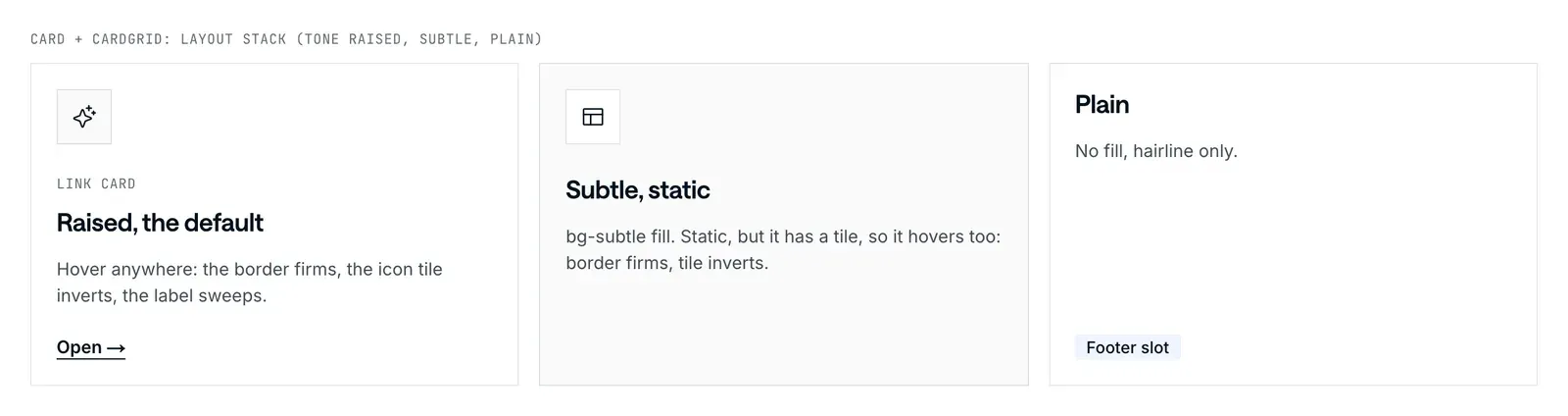
Ask an agent for a pricing page on a site without a design system and you get a generic pricing page. Ask it on a site with design tokens, approved sections and written rules, and you get a page that looks like yours. The design system is what keeps agent output on brand, which is why we build or tidy it before connecting anything. We wrote up what that system needs in design systems AI agents can build with.
Step 4: keep content where editors already work
Decide who edits what before the build. Marketers usually want a headless CMS such as Sanity, whose official MCP server lets agents query and patch documents with awareness of your schema. Developers and agents are happy with Markdown in the repo. Blog posts in Markdown, case studies in the CMS and page layouts in code is a common split, and the agent can work in all three.
Step 5: preview every change
Every change should come with a link to the site as it will look. The common hosts do this by default: Vercel builds a preview for every push to a non-production branch and every pull request, Netlify builds a Deploy Preview for every pull request, and Cloudflare Pages gives every pull request its own preview URL.
The preview is what makes the workflow usable for people who don’t read code. The marketing lead checks the page on their phone, asks for changes in the same thread, and approves when it is right.
Step 6: make approval the only way to production
The agent drafts, a person approves, and only the approval publishes. In practice:
- Protect the main branch. GitHub can require a set number of approving reviews before anything merges, and the agent’s work never skips that.
- Scope access. Give the agent the repository and CMS it needs, with separate rights to draft, publish and approve. Anthropic’s GitHub Actions docs recommend granting the workflow only the permissions it needs and reviewing Claude’s changes before merging.
- Add automated checks. Build, broken links, accessibility and page weight run on every pull request, so the reviewer looks at the page, not the plumbing.
- Be careful with untrusted input. Anthropic warns about prompt injection, where text inside content tries to redirect the agent, and advises against piping untrusted content straight to Claude. Keep agents in trusted channels and repositories.
- Request Someone on the team asks Claude in plain words, in Slack or on GitHub.
- Agent edits files Claude changes the pages and content on a branch, following CLAUDE.md.
- Pull request and preview The host builds a preview link; checks run on build, links and accessibility.
- Review A person checks the preview, asks for changes in the thread and approves.
- Merge and deploy The protected main branch merges only with an approving review.
Review matters because the output isn’t always right. In Stack Overflow’s 2025 Developer Survey, 84% of developers said they use or plan to use AI tools, and more of them distrust the accuracy of those tools (46%) than trust it (33%).
What a normal week looks like
A request comes in on Monday: the sales team needs a landing page for a trade show. The marketing lead asks Claude for it, using the event page layout, with the booth number, a form and three product photos. Twenty minutes later there’s a preview link. They ask for the form above the photos, approve the second version, and it goes live after review.
It works the same way outside SaaS. A hardware company adds a spec sheet page for a new model from the existing product template. An industrial supplier adds a distributor to the locations page. None of these needed a developer before, but all of them used to wait in one’s queue.
What it doesn’t replace
The agent takes the everyday requests. It doesn’t decide what the site should say, pick a new visual direction, or catch every mistake on its own. New sections, a change of positioning and anything involving pricing or legal copy still need people, and someone senior has to review what the agent produces. We say the same about our own work in how we use AI: AI does the legwork, people make the calls.
How we run our own site
We ran designme.agency on Framer for three years and moved it to Astro in October 2026. We kept all 63 live URLs, and on the staging build the homepage’s first load dropped from 54 MB on Framer to 2.67 MB. The repository has a CLAUDE.md with the rules above, the tokens and components are documented on a styleguide page, and the content is typed collections in Markdown.
- 63 live URLs kept in the move
- 54 MB → 2.67 MB homepage first load, Framer vs. Astro staging build
We change the site by asking Claude for a page or a fix, reviewing the change and shipping it. The first drafts are fast. The review is where the time goes, and it is where the quality comes from.
Setting it up
If you want your team editing the site this way, there are two parts: a site built for it and the workflow around it. Our headless CMS and custom builds start from $15k and take 4+ weeks, with team and agent docs included. AI workflows, where your team asks an agent in Slack or Claude and approves a preview, take 3 to 4 weeks to set up on a site that’s ready. Full ranges are on our pricing page.
DesignMe designs and builds websites for funded SaaS and AI companies that their teams, and their agents, can change without breaking the design. If you want your team editing the site with Claude, send us your current site and we’ll reply within one business day:
Sources
- Anthropic, Claude Code overview (accessed 10 October 2026) (opens in a new tab)code.claude.com
- Anthropic, Claude Code memory and CLAUDE.md (accessed 10 October 2026) (opens in a new tab)code.claude.com
- Anthropic, Claude Code GitHub Actions (accessed 10 October 2026) (opens in a new tab)code.claude.com
- Anthropic, Claude Code security (accessed 10 October 2026) (opens in a new tab)code.claude.com
- Astro, Build with AI (accessed 10 October 2026) (opens in a new tab)docs.astro.build
- Cloudflare, "Cloudflare acquires Astro" (16 January 2026) (opens in a new tab)cloudflare.com
- Next.js, "How Next.js supports AI coding agents" (updated 6 October 2026) (opens in a new tab)nextjs.org
- Framer, "Use external agents with Framer" (updated 15 September 2026) (opens in a new tab)framer.com
- Webflow, MCP server overview (accessed 10 October 2026) (opens in a new tab)developers.webflow.com
- Sanity, MCP server (accessed 10 October 2026) (opens in a new tab)sanity.io
- Vercel, Environments and preview deployments (updated 17 September 2026) (opens in a new tab)vercel.com
- Netlify, Deploy Previews (updated 8 October 2026) (opens in a new tab)docs.netlify.com
- Cloudflare, Pages preview deployments (updated 3 June 2026) (opens in a new tab)developers.cloudflare.com
- GitHub, About protected branches (accessed 10 October 2026) (opens in a new tab)docs.github.com
- Stack Overflow, 2025 Developer Survey, AI (2025) (opens in a new tab)survey.stackoverflow.co
Press Escape to close.