Fix your vibe-coded MVP without starting over
By Adrian Kuleszo, Co-founder, DesignMe. Updated 12 November 2026.
Download the PDF (11 pages)Chapter 01
Why vibe-coded MVPs break
Andrej Karpathy coined “vibe coding” on 2 February 2025: talk to an AI coding tool, accept what it writes, paste errors back in, stop caring much about the code. He framed it as fine for throwaway weekend projects. Collins Dictionary made it its Word of the Year for 2025.
And it’s great for what it is. A founder can test an idea, show investors something that works and sign the first customers for close to nothing.
Here’s the catch. AI-built prototypes cover the happy path, the demo flow. Real users arrive and hit everything around it.
What we find most often
- Auth nobody can explain. Sign-up, sessions and password resets that just happened.
- Data anyone can read. In Lovable and Supabase apps, row-level security rules that are missing or too loose, so one user can read another’s data.
- Secrets in the wrong place. API keys and tokens shipped in the browser code or committed to the repo.
- Checks only in the browser. Inputs validated on the page but not on the server, so anything can reach the database.
- Only the demo path works. No empty, loading or error states, and one view for every role.
- Styles that drift. Each screen generated on its own, so three button styles and spacing that changes page to page.
The first four are security and engineering problems. The last two are design problems. Most rescue teams fix the first group. Fewer fix the second, and users notice both.
Chapter 02
Fix it or rebuild it?
Usually, fix it. Much AI-generated code is usable. Rewriting everything throws away the momentum you paid for, and it’s the most expensive answer.
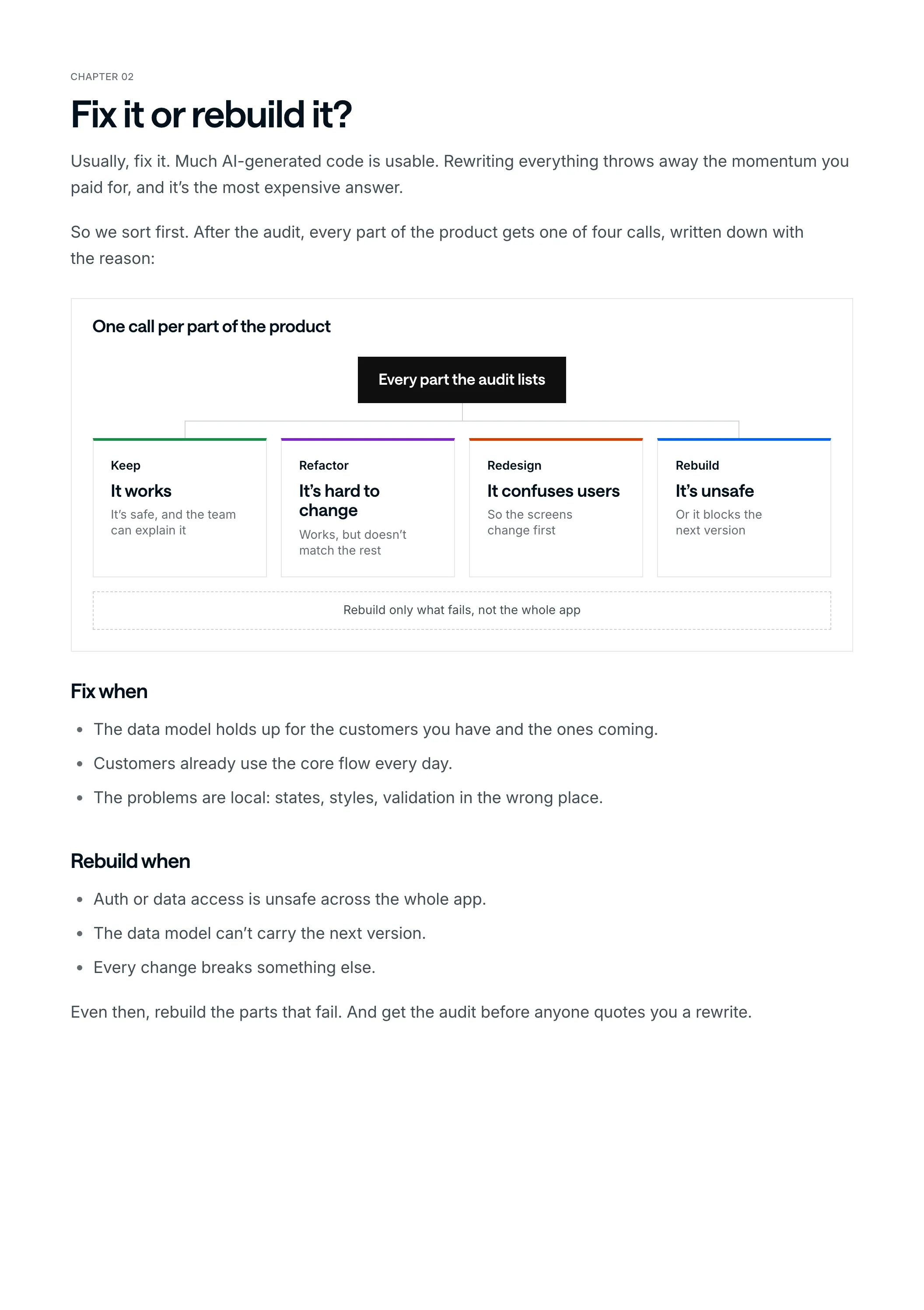
So we sort first. After the audit, every part of the product gets one of four calls, written down with the reason:
One call per part of the product
Every part the audit lists
Keep
It works
It’s safe, and the team can explain it
Refactor
It’s hard to change
Works, but doesn’t match the rest
Redesign
It confuses users
So the screens change first
Rebuild
It’s unsafe
Or it blocks the next version
Rebuild only what fails, not the whole app
Fix when
- The data model holds up for the customers you have and the ones coming.
- Customers already use the core flow every day.
- The problems are local: states, styles, validation in the wrong place.
Rebuild when
- Auth or data access is unsafe across the whole app.
- The data model can’t carry the next version.
- Every change breaks something else.
Even then, rebuild the parts that fail. And get the audit before anyone quotes you a rewrite.
Chapter 03
Week one: the audit and the risk list
Week one is the audit: the product, the flows, the frontend, the backend logic, the integrations and the AI-generated code, especially the parts that feel fragile.
It ends in a risk list. Every part that matters is one row, with what happens if it stays as it is when customers grow, and the call we’d make.
Here’s that list for an example product. It’s a worked example, not a client: a scheduling app built in Lovable over two weekends, with ten pilot customers.
| Finding | Layer | Risk | Call |
|---|---|---|---|
| The data model holds up | Data | Low | Keep |
| The week view pilots already use | UX | Low | Keep |
| Three different button styles | UI | Medium | Refactor |
| The booking page is one huge file | Frontend | Medium | Refactor |
| Each screen fetches data its own way | Frontend | Medium | Refactor |
| No empty, loading or error states | UX | Medium | Redesign |
| Setup asks for everything at once | UX | Medium | Redesign |
| A deleted booking can’t be recovered | Data | High | Rebuild |
| Admins and users see the same screens | Backend | High | Rebuild |
| Inputs are only checked in the browser | Backend | High | Rebuild |
Two keeps, three refactors, two redesigns and three rebuilds. Seven of the ten parts stay in some form, and the rebuilds are exactly where users or their data are at risk.
Chapter 04
Auth, permissions and data first
The rebuilds come first, because they’re the ones that hurt people: a user reading someone else’s data, a deleted booking that’s gone for good, an admin screen anyone can open.
- Roles and permissions, on the server. Decide who can do what, then enforce it where it can’t be skipped.
- Validation, on the server. Checks in the browser are for the user’s comfort. Checks on the server are for safety.
- Auth your team can explain. If nobody on the team can say how sign-up and sessions work, that’s the first fix.
- Secrets out of the code. No API keys in browser code or in the repo.
- Data that can be recovered. Deletes with proper states and an undo, so one click can’t lose a customer’s work.
Then the rest of the backend that prototypes skip: API logic, database flows, error handling and integrations.
Chapter 05
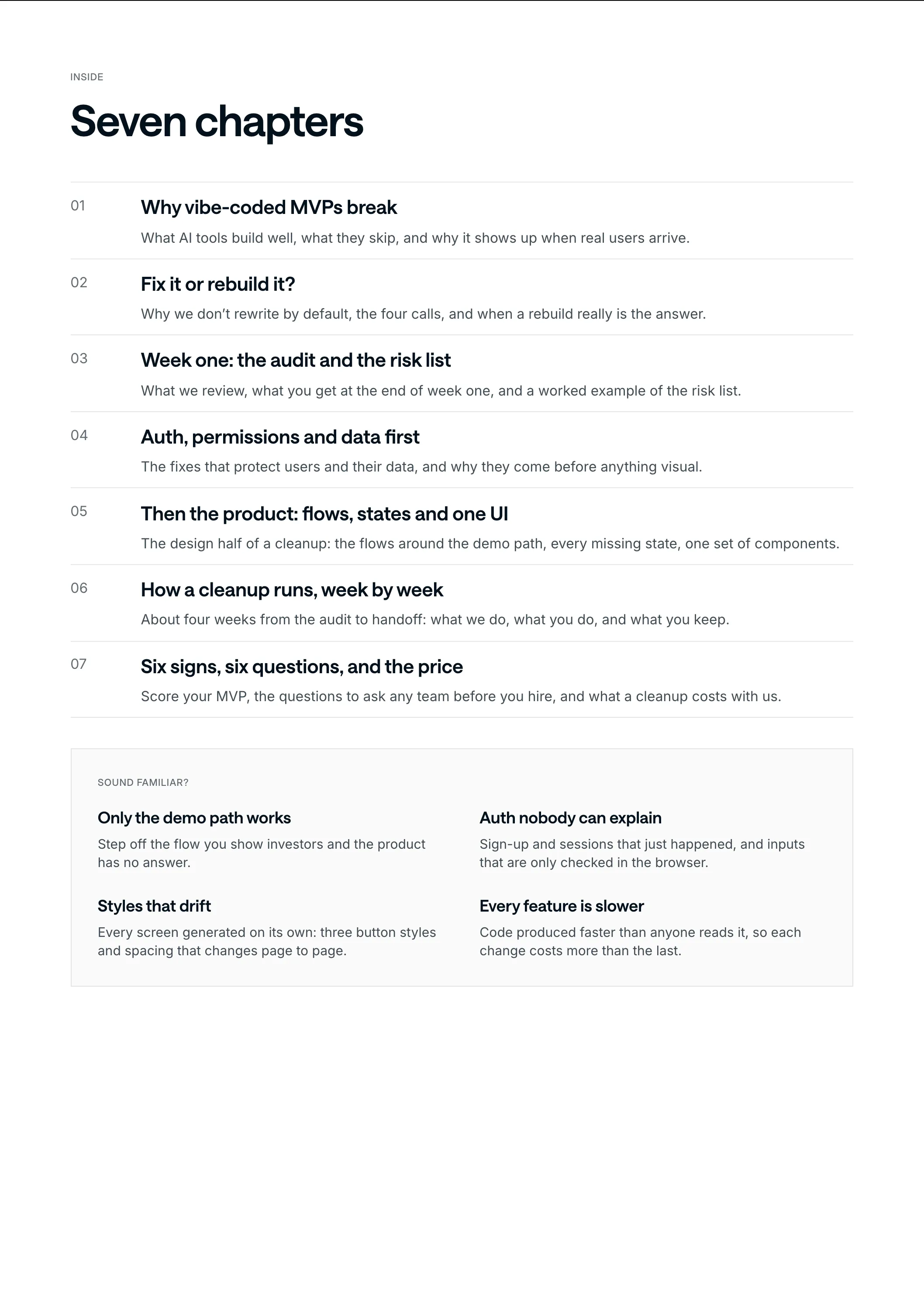
Then the product: flows, states and one UI
A secure app that still confuses users still loses them. This is the half most rescue teams skip, and it’s where a design team earns its place.
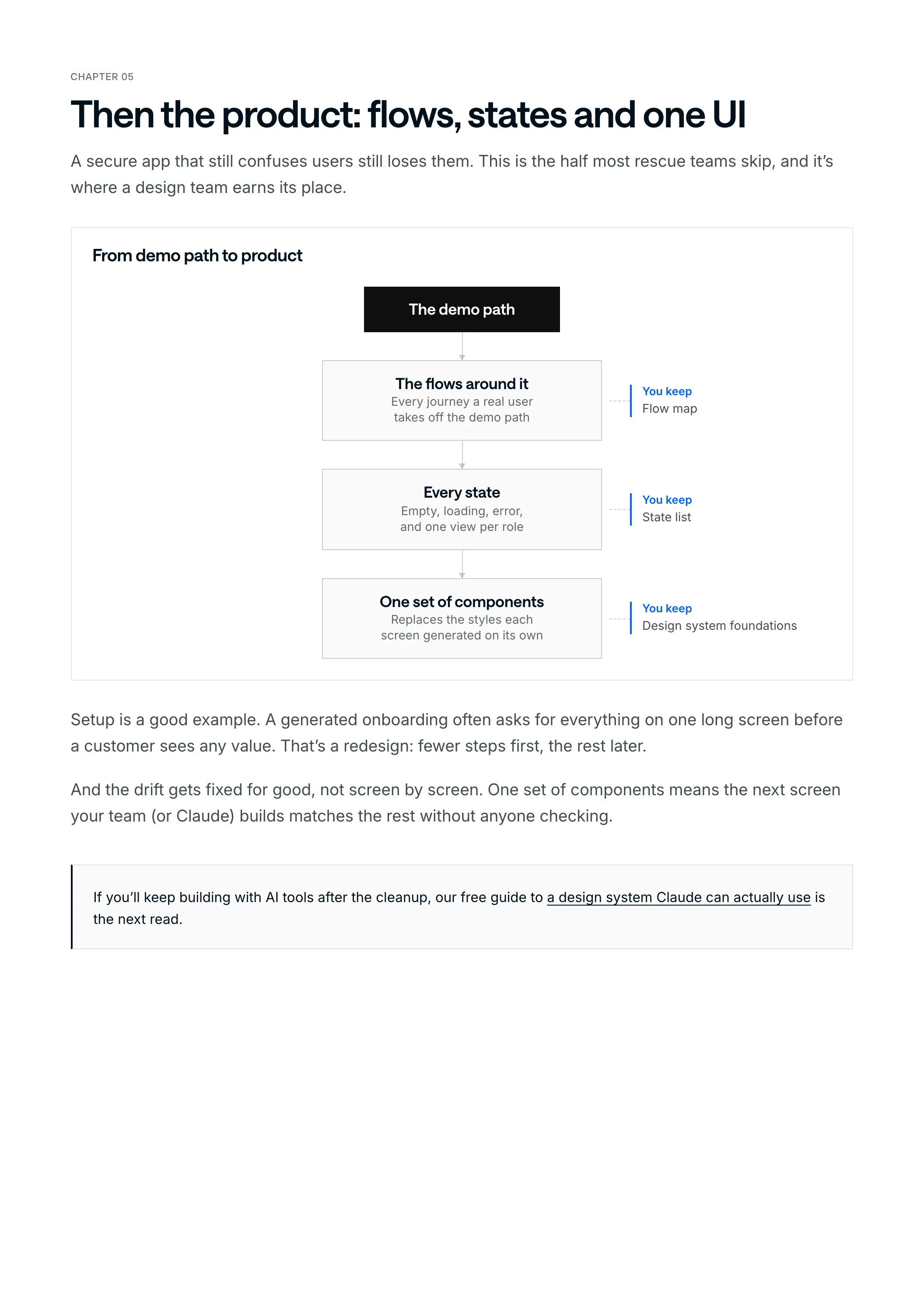
From demo path to product
The demo path
The flows around itEvery journey a real user takes off the demo path
You keepFlow map
Every stateEmpty, loading, error, and one view per role
You keepState list
One set of componentsReplaces the styles each screen generated on its own
You keepDesign system foundations
Setup is a good example. A generated onboarding often asks for everything on one long screen before a customer sees any value. That’s a redesign: fewer steps first, the rest later.
And the drift gets fixed for good, not screen by screen. One set of components means the next screen your team (or Claude) builds matches the rest without anyone checking.
Chapter 06
How a cleanup runs, week by week
About four weeks from the code audit to handoff. Deeper frontend, backend and integration work can take longer.
How a cleanup runs
Week 1
Kickoff and access
One call, a walkthrough of the product, and access to the repo, hosting and services.
Code audit
Ending in the risk list. You agree the calls.
Weeks 1 to 3
Flows and states
The core flows, the confusing journeys and every missing state.
Frontend cleanup
One set of components and a structure that’s easy to build on.
Weeks 3 to 4+
Backend fixes
API logic, database flows, auth, permissions, validation and error handling.
QA and handoff
We test it, fix rough edges and write down what changed and what comes next.
What you keep
- The risk list and the cleanup priorities.
- A flow map, the state list and the component cleanup.
- Implementation and handoff notes, and a plan for the next sprint.
- The code, in your repo. Once invoices are paid, the code and the design files are yours.
Chapter 07
Six signs, six questions, and the price
Before the checklist, one honest line about us. We fix the design and the code in one team, and we’ve done it for real products: we cleaned up and built the product for Structurely. For Ballogy we rebuilt the iOS and Android frontend in three months, and its app store rating went from 4.3 to 4.7, according to the client’s Clutch review.
What it costs with us
- $10,000
- the starting price for an AI MVP cleanup
- 4 weeks
- is about how long a cleanup runs, from the audit to handoff
- $6,000 /mo
- the Development plan, if you’d rather keep us on after it
The final price depends on how much needs to be redesigned or rebuilt, and you get it before anything starts. Send us the repo, the prototype or the Figma file and we’ll tell you what we’d fix first, even if the honest answer is a cheaper specialist.
Now go through the checklist with your team. Nobody sees the score but you.
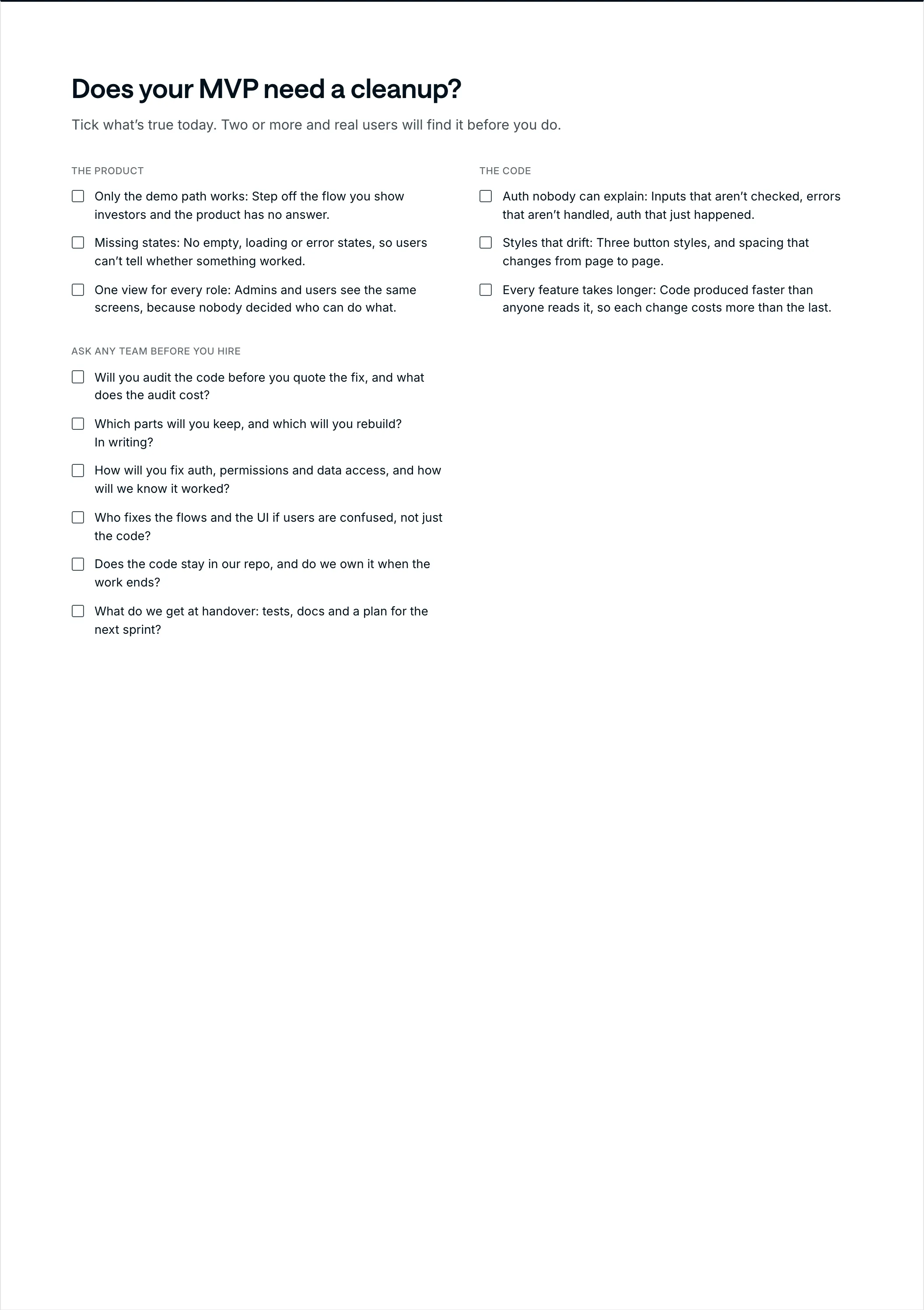
Does your MVP need a cleanup?
Tick what’s true today. Two or more and real users will find it before you do.
The product
- Only the demo path works: Step off the flow you show investors and the product has no answer.
- Missing states: No empty, loading or error states, so users can’t tell whether something worked.
- One view for every role: Admins and users see the same screens, because nobody decided who can do what.
The code
- Auth nobody can explain: Inputs that aren’t checked, errors that aren’t handled, auth that just happened.
- Styles that drift: Three button styles, and spacing that changes from page to page.
- Every feature takes longer: Code produced faster than anyone reads it, so each change costs more than the last.
Ask any team before you hire
- Will you audit the code before you quote the fix, and what does the audit cost?
- Which parts will you keep, and which will you rebuild? In writing?
- How will you fix auth, permissions and data access, and how will we know it worked?
- Who fixes the flows and the UI if users are confused, not just the code?
- Does the code stay in our repo, and do we own it when the work ends?
- What do we get at handover: tests, docs and a plan for the next sprint?
A good team answers the first two with a document, not a promise.