Framer Limitations for Startups: Six Signs to Move Your Site Into Code

Adrian KuleszoCo-founderUpdated
Table of contents
Framer is still one of the fastest ways to get a good marketing site live. The question in 2026 is not which tool is better: it’s when a startup’s site has run into Framer’s limitations and grown into something that belongs in code.
We ran designme.agency on Framer for three years and moved it to Astro in October 2026, so this isn’t a theoretical list. Here are the six signs we’d look for, what we learned on our own move, what it costs, and when to stay put. For a feature-by-feature table, see our Astro vs Framer comparison.
Six signs a startup has outgrown Framer
1. You’re hitting plan limits. Framer’s Pro plan includes 150 site pages and 2,500 CMS items before add-ons. A site with integration pages, industry pages, comparisons and a blog gets there faster than you’d expect, and a hardware or industrial company with a product page and spec sheet per SKU gets there faster still.
2. You want programmatic pages. Pages generated from data files, such as one page per integration, location or product, are easy to run from typed data in code and hard to keep in sync by hand on a canvas. Our own comparison, migration and industry pages are built this way.
3. The same content has to live in several places. If case studies, pricing or product facts need to feed the website, the docs, the product and AI tools, a headless CMS or content in the repository is the cleaner setup.
4. Performance is a target, not a nice-to-have. Astro renders pages to HTML and ships no client-side JavaScript unless a component needs it. For context, the median mobile page on the web shipped 558KB of JavaScript in 2024, and only 48% of mobile sites passed all three Core Web Vitals in July 2025, according to the HTTP Archive’s Web Almanac.
5. Your team wants to edit through AI agents. On Astro the site is plain files, so Claude Code or Cursor can change anything, open a pull request with a preview link, and leave the decision to a person. Framer’s new agents work inside Framer, which suits teams who design on the canvas and use AI as a helper.
6. You want to own the site. Framer doesn’t offer HTML export for self-hosting. An Astro site is a repository you control, hosted wherever you like, and it isn’t tied to us or to one platform.
If none of these apply, stay where you are. If two or three do, it’s worth planning the move.
What we learned moving our own site from Framer to Astro
We moved designme.agency with the same method we use for clients. We inventoried 63 live URLs and kept every one of them, exported 5 CMS collections to CSV, and moved 1,378 images and files off Framer’s CDN, because those URLs stop working when the Framer plan ends.
- 63
- live URLs inventoried and kept
- 5
- CMS collections exported to CSV
- 1,378
- images and files moved off Framer’s CDN
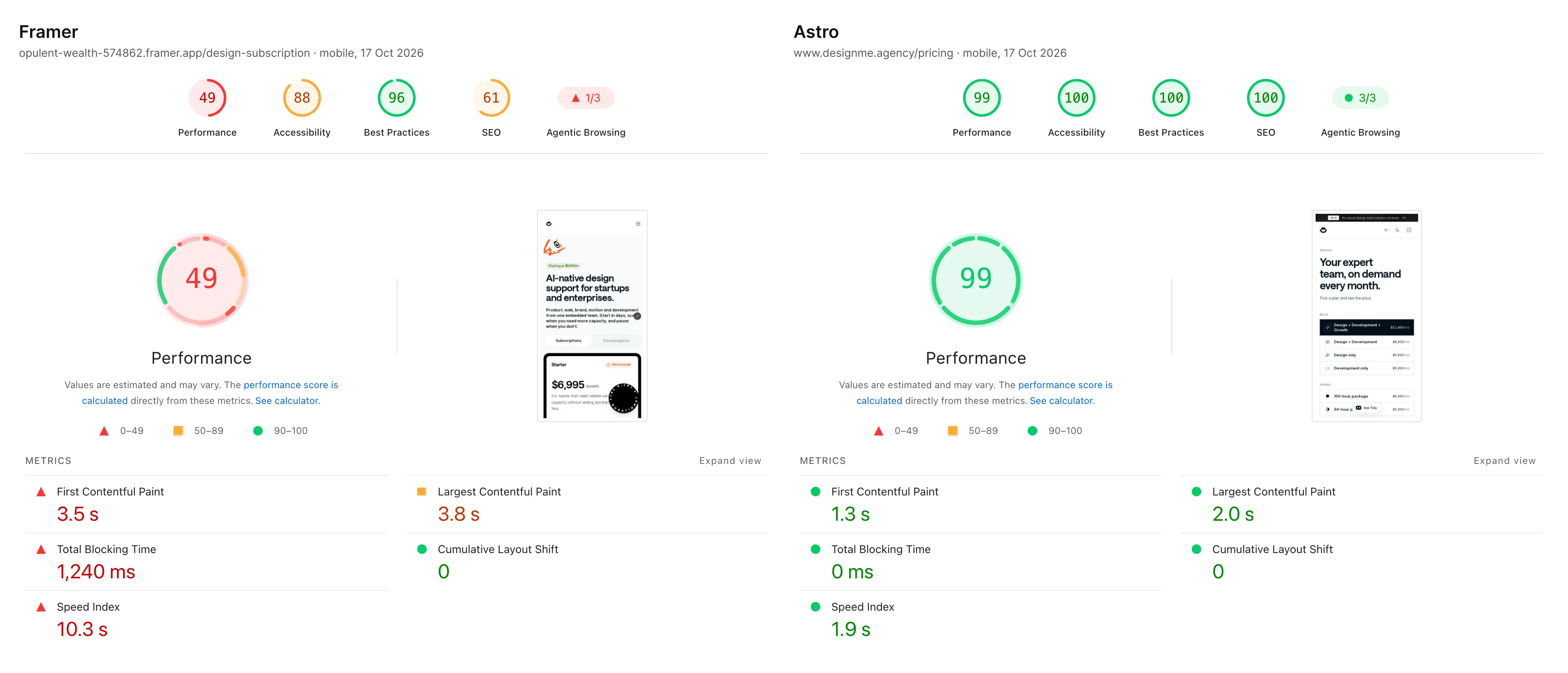
Measured on production with PageSpeed Insights on desktop, the homepage’s page weight went from 10.33MB on Framer to 0.52MB on Astro, and the number of requests from 512 to 75. On the Astro build, images go through responsive formats, videos load only when they scroll into view, and JavaScript ships only where a component needs it. After launch we measured both sites on production with PageSpeed Insights: on mobile, Performance went from 33 to 71 on the Framer pages to 91 to 99 on Astro, and JavaScript from 1 to 7MB per page to about 35KB. Every number, and what didn’t improve, is in our Framer to Astro migration results.
What we’d tell a team planning the same move:
- Crawl the site, don’t just read the sitemap. Framer’s sitemap was missing a page our own navigation linked to. Our redirect map ended up with 116 rows for 63 live URLs, because Framer’s own redirects, hidden pages and short links in old articles each needed a decision: 65 keep their path, 43 get a 301 and 8 are retired.
- Check what’s actually in the CMS. Our export had a Projects collection with 3 leftover items, while the 12 live case studies were static pages, so their copy came from the saved HTML instead. Two other collections held 75 empty drafts.
- Look inside each widget before you rebuild it. The form on our Framer pages was Framer’s wrapper around a Cal.com booking embed, so there was no form backend to build. The cookie banner went the other way: Framer showed it for us, so the Astro site needed its own before launch.
- Videos are the heavy files. Two of ours were 67MB and 35.7MB. Compress them as you move them off Framer’s CDN, and load them only when they scroll into view.
How to move without losing rankings
Moving platforms only costs rankings when URLs break or on-page signals get lost, and Astro lets you keep the exact Framer paths. The full method, from the URL inventory to real 301s at the host, is on our Framer to Astro migration page.
For a version you can work through yourself, our free guide to leaving Webflow or Framer without losing a URL has the 116-row map from our own move, how to choose the CMS and the launch checklist.
What the move costs
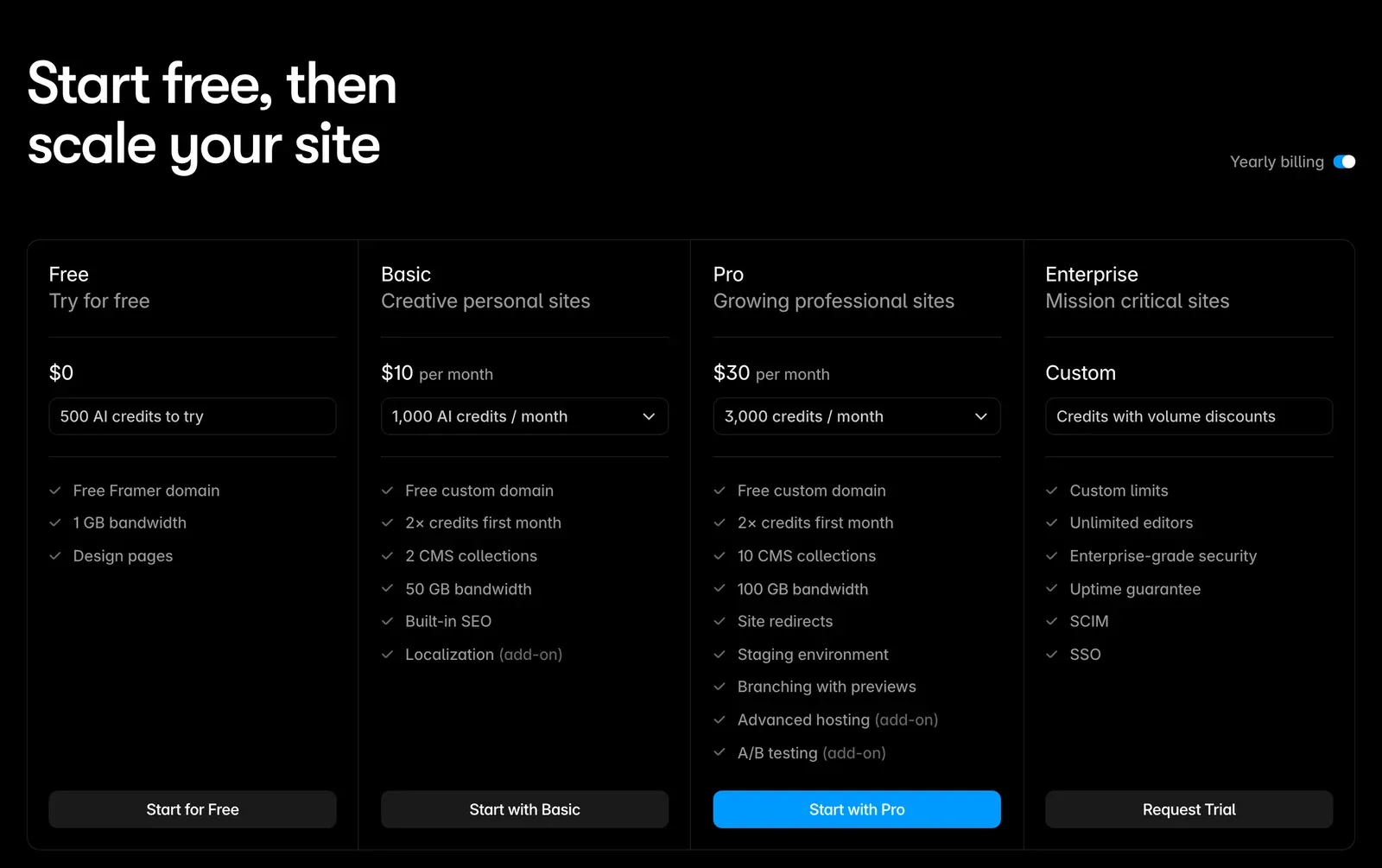
The rebuild is the cost. Framer’s plan fees are small next to it: Pro is $30 a month, plus $20 a month for each additional editor and $20 for each extra locale. With us, a full website starts from $15k and a landing page from $10k, and the platform doesn’t change the price. Coded builds on Astro or Next.js with a headless CMS start from $15k and usually take 4 weeks or more, from content model to launch. Full ranges are on our pricing page, and the website cost calculator gives a range for your page count.
Running costs drop. A mostly static Astro site costs little or nothing to host on Cloudflare, Netlify or Vercel for most marketing sites, and there are no per-seat editor fees for the site itself. A CMS like Sanity has its own plans, so price it for your team. One thing to watch: Vercel’s free Hobby plan is for personal, non-commercial use, so a company site belongs on a paid plan or another host.
For the full Framer cost picture, see Framer pricing in 2026.
What changes for your team
Editing. Decide who edits what before the build. Marketers who publish weekly get a headless CMS, usually Sanity, and on a static site a publish triggers a rebuild that takes a minute or two. Developers and agents edit Markdown and data files directly.
Review. Every change arrives as a pull request with a preview link, and someone approves it before it goes live. That’s slower than pressing publish in Framer for a typo, and much safer for a pricing page.
Ownership. Someone owns dependency updates and the build. That’s either an engineer on your team or the agency that built it.
If the site also needs to share components with a React product or show logged-in pages, Next.js may fit better than Astro. We compare the two in Next.js vs Astro for marketing websites.
When to stay on Framer
Stay on Framer if the site is mostly a design-led marketing site that a small team edits visually. Move to Astro when the site has become a product of its own: many templated pages, content that feeds other places, strict performance targets, or a team that wants to change it by asking an AI agent and reviewing a pull request.
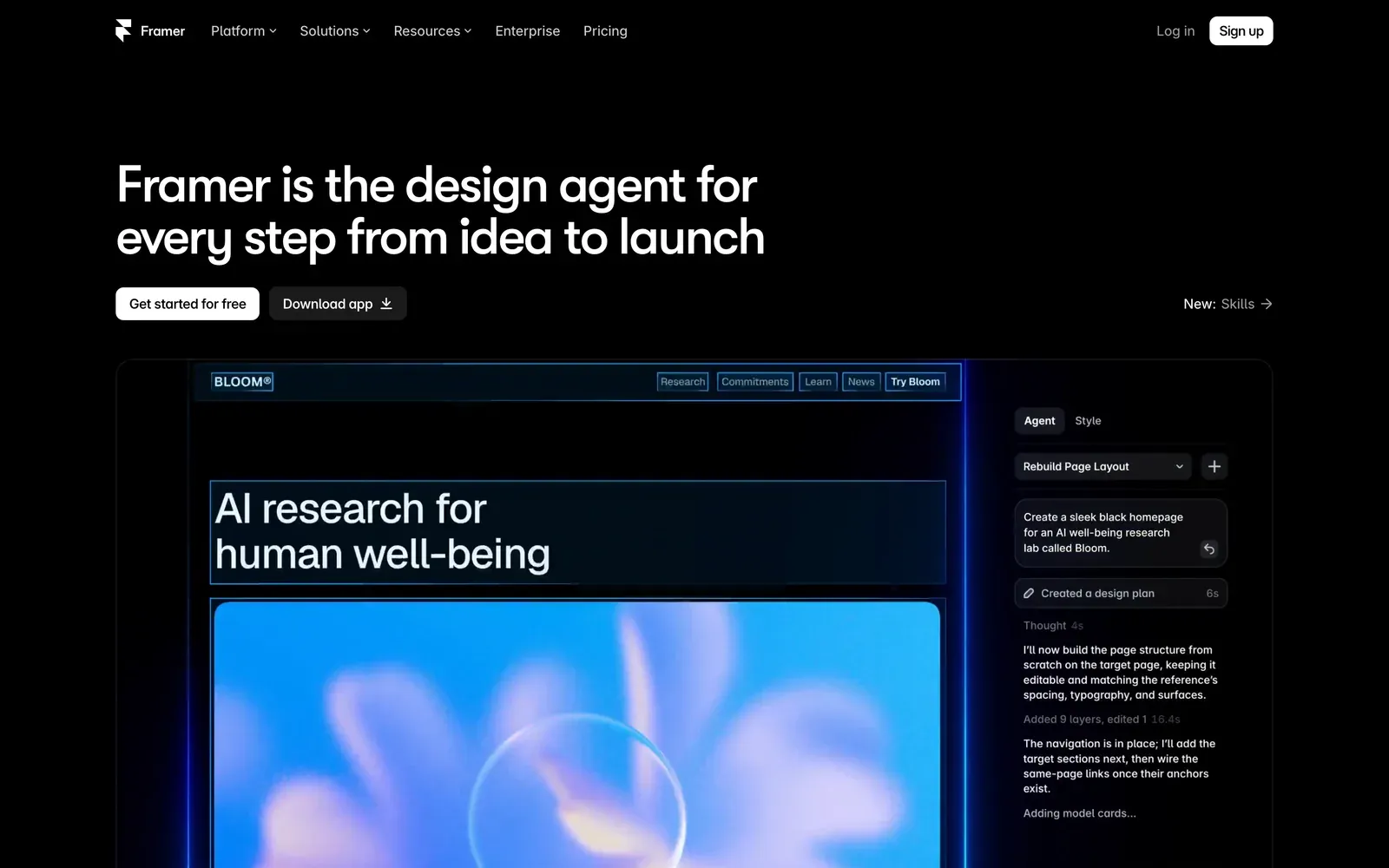
Both tools are moving fast. In June 2026 Framer launched Framer 3.0 with built-in AI agents and branching, so agent edits can be reviewed before they go live, and external agents such as Claude Code and Cursor can now connect to a Framer project. Astro released version 6 in March 2026, two months after Cloudflare acquired the team behind it and committed to keeping it open source. Neither tool is standing still, which is why the decision depends on your site and team, not on the tools.
Where Framer still wins:
Speed from design to live. A designer can go from a Figma comp to a published page in a day. For a launch, a campaign or a seed-stage site, that speed is worth more than anything Astro offers.
Visual editing. Marketers and designers edit on the canvas and see exactly what visitors will see. An Astro site can get close with a CMS, but it’s one more tool to set up and run.
Motion. Scroll effects, hover states and page transitions are built visually in minutes. In code they’re written by hand.
Nothing to maintain. Framer handles hosting, security and platform updates. On Astro, dependency updates and the build pipeline are yours or your agency’s.
We still build in Framer for launches, landing pages and design-led sites, and our Framer service is often the right first step for a seed-stage team. If what you’ve outgrown is Framer’s CMS rather than the canvas, Framer vs Webflow covers that move.
How to decide
Answer four questions:
| Question | Answer that says stay on Framer |
|---|---|
| Who edits the site every week, and on what? | A designer on the canvas |
| How many pages will it have in 18 months? | Under 100 |
| Does the content need to live anywhere besides the website? | No |
| Does anyone on the team work in code or with coding agents? | No |
If your answers match those, stay on Framer. If they lean the other way, move into code, and do it between launches rather than the month before a raise.
DesignMe builds marketing sites in Framer, Webflow, Astro and Next.js for funded startups and B2B companies, and we moved our own site from Framer to Astro. If you’re weighing the move, send us your site and we’ll reply within one business day, or book a 30-minute call with Adrian:
Sources
- Framer, Pricing (accessed 10 October 2026) (opens in a new tab)framer.com
- Framer, "Can I export my website to HTML and self-host it?" (accessed 10 October 2026) (opens in a new tab)framer.com
- Framer, "Use external agents with Framer" (accessed 10 October 2026) (opens in a new tab)framer.com
- Business Wire via Rutland Herald, "Framer launches AI agents" (16 June 2026) (opens in a new tab)rutlandherald.com
- Cloudflare, "Cloudflare acquires Astro to accelerate the future of high-performance web development" (16 January 2026) (opens in a new tab)cloudflare.com
- Astro, "Astro 6" (10 March 2026) (opens in a new tab)astro.build
- Astro docs, Islands architecture (accessed 10 October 2026) (opens in a new tab)docs.astro.build
- HTTP Archive, Web Almanac 2024, JavaScript chapter (2024) (opens in a new tab)almanac.httparchive.org
- HTTP Archive, Web Almanac 2025, Performance chapter (CrUX data from July 2025) (opens in a new tab)almanac.httparchive.org
- Vercel, Pricing (accessed 10 October 2026) (opens in a new tab)vercel.com
Press Escape to close.