Vibe-Coded App Security: 7 Checks Before Real Users Arrive

Adrian KuleszoCo-founder
Table of contents
Before real users get into an app built with Lovable, Bolt, Cursor or v0, check seven things in this order: who can read whose data, auth your team can explain, secrets out of the browser and the repo, validation on the server, deletes that can be undone, basic logging and alerts, and dependencies. Start with the first: in a Supabase app, row-level security is what stops one user reading another’s data.
Vibe coding is fine for prototypes. Andrej Karpathy coined the term on 2 February 2025 and framed it for throwaway weekend projects, and Collins made it its Word of the Year for 2025. The risk is putting real users on code nobody has read. In Veracode’s 2025 GenAI Code Security Report (30 July 2025), more than 100 models given 80 coding tasks introduced an OWASP Top 10 weakness in 45% of test cases.
- 170 of 1,645
- Lovable showcase apps scanned were exposing data
- 45%
- of Veracode’s AI coding test cases introduced a weakness
- 205,474
- made-up package names in one study of code models
The seven checks at a glance
| Check | What goes wrong | Test it yourself | The fix |
|---|---|---|---|
| Who can read whose data | Loose RLS, UI-only permissions | Load one test account’s data as another | RLS on every table, server-side role checks |
| Auth you can explain | Sign-up and sessions nobody understands | Ask the team to explain it | Built-in auth, roles users can’t edit |
| Secrets | Secret keys in the browser or Git history | Search the live JavaScript and the repo | Keys in server functions, rotated |
| Server-side validation | Checks only in the browser | Replay a request with bad values | A server-side schema, database constraints |
| Deletes | One click loses work for good | Delete something, try to get it back | Soft deletes, an undo, tested backups |
| Logging and alerts | Customers report failures first | Break something in a test account | Error tracking, alerts, an audit log |
| Dependencies | Vulnerable or invented packages | Run npm audit, read package.json | Remove unused ones, turn on alerts |
1. Who can read whose data: Supabase row-level security
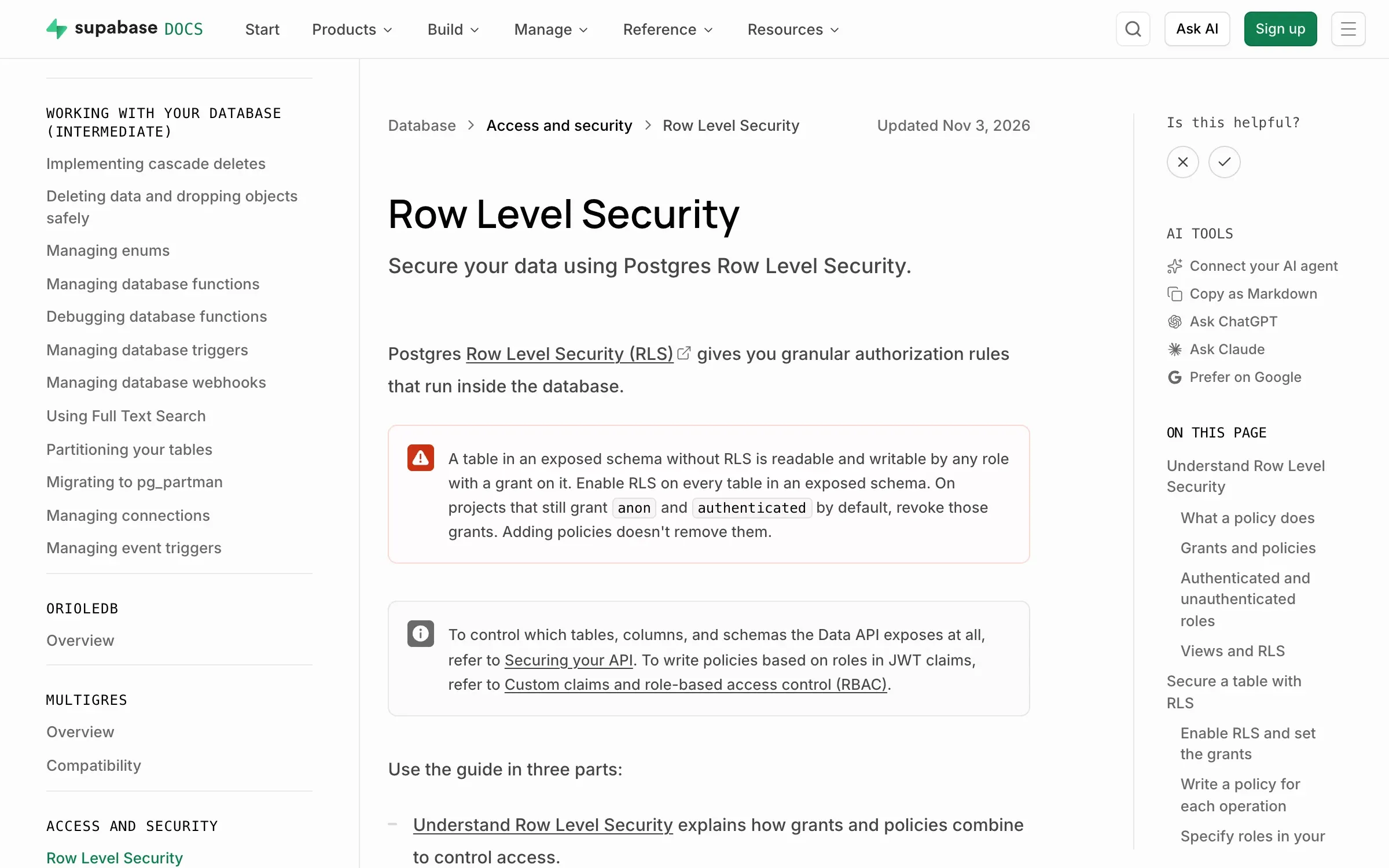
Lovable apps, and many built with Bolt, v0 or Cursor, use Supabase, where the browser talks to the database with a publishable key (the legacy anon key) that Supabase says is safe to expose. Your data is protected by row-level security (RLS), database rules that decide which rows each user can read and change. Supabase says to enable it on every table in an exposed schema, because a table without it is open to any role with a grant on it.
What the publishable key can reach
The browser asks Supabase for a table, with the publishable key
RLS off
Every row, to anyone
Any role with a grant on the table can read and change it.
RLS on, no policies
Nothing comes back
Supabase blocks the publishable key until you write policies.
RLS on, with policies
Only allowed rows
Rows tied to their owner or team, with separate rules for read, create, change and delete.
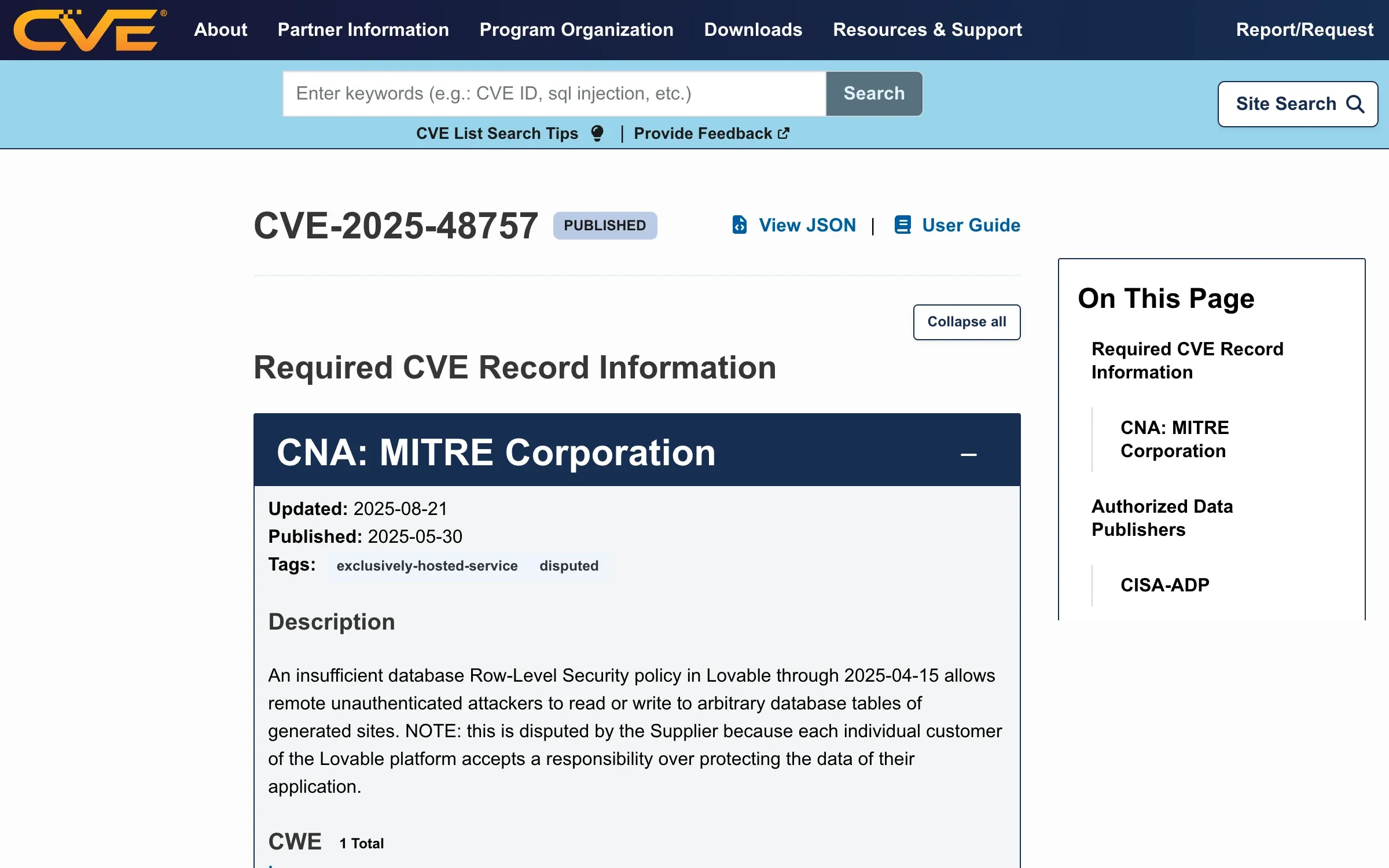
This is the flaw behind CVE-2025-48757. In March 2025, Matt Palmer scanned 1,645 projects from Lovable’s Launched showcase and found 170 (about 10.3%) leaking emails, phone numbers, API keys and payment details. His statement of 29 May 2025 blames missing or misconfigured RLS, not the public key. Lovable disputes the CVE, saying each customer is responsible for their own app’s data, which leaves the job with you.
The flaw, and the Supabase warning
Permissions are the other half. Hiding the admin button doesn’t stop anyone calling the API, so every route checks who’s asking before it returns or changes anything. OWASP ranks broken access control first in its Top 10:2025.
Test it yourself. Open your Supabase project’s Security Advisor, which flags tables with RLS turned off (“Table publicly accessible”) and policies that are too permissive. Then create two test accounts, add a record as the first and try to load it as the second, by changing the ID in the URL or replaying the request from the network tab. Try it signed out, and try admin pages as a member. Run Lovable’s Quick scan too, but don’t treat it as proof: Palmer says the April 2025 version only checked that a policy existed, and Lovable’s docs say its tools can’t guarantee your app is secure.
The fix. Turn RLS on for every table in the public schema. Supabase then blocks the publishable key until you write policies, so you add access back on purpose: rows tied to their owner or team, with separate rules for reading, creating, changing and deleting. Write down who can do what, like this example for a booking app from our guide, and enforce each row on the server:
| Action | Member | Admin | Owner |
|---|---|---|---|
| See their own bookings | Yes | Yes | Yes |
| See everyone’s bookings | No | Yes | Yes |
| Delete a booking | No | Yes | Yes |
| Undo a delete | No | Yes | Yes |
| Change billing | No | No | Yes |
2. Auth your team can explain
What goes wrong. AI tools wire up sign-up, sessions and password resets fast, and auth nobody on the team can explain is one of the things we find most often in our cleanups. The weak spots tend to sit around the auth provider: where a user’s role is stored, what happens to sessions after a password change, and whether admin checks run on the server.
Test it yourself. Ask whoever built it to explain, in five minutes and without opening the code, how sign-up, sessions, reset links and roles work. Then sign in as a member, try to change your own role through the API, and use a reset link twice.
The fix. Use your provider’s built-in flows (Supabase Auth, if you’re on Supabase) instead of custom code, keep roles in a table users can’t write to, and write one page that explains it.
3. Secrets out of the browser and the repo
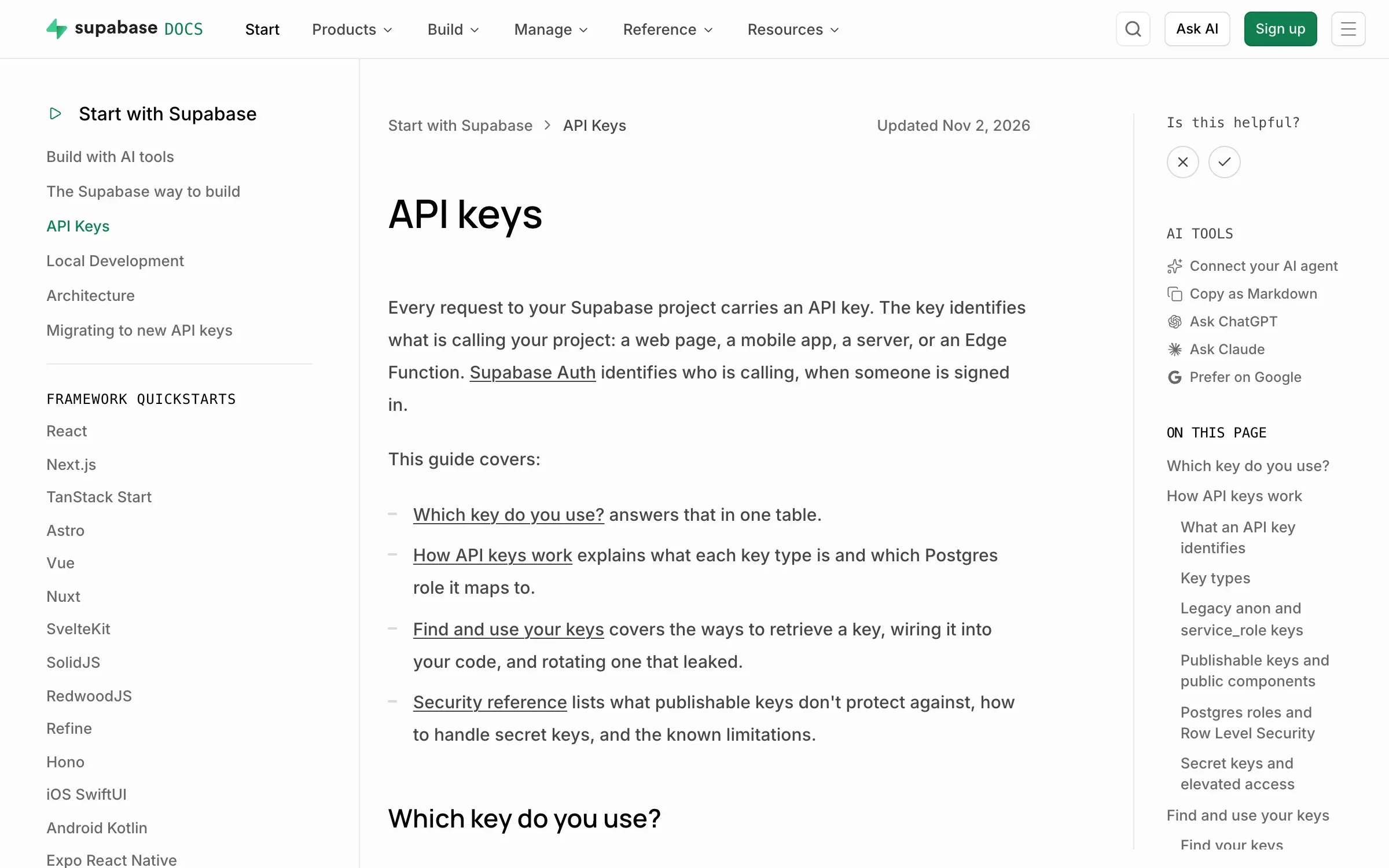
What goes wrong. Anything shipped to the browser can be read by anyone. Supabase’s secret keys (the legacy one is called service_role) bypass every row-level security policy, and Supabase says never to put one in a browser, a shipped app or source control.
Supabase API keys guide
Test it yourself. Open the live app’s developer tools and search the loaded JavaScript for secret, service_role, sb_secret_ and sk_. Then search the repo and its history, where deleted keys still sit in old commits. GitHub’s secret scanning does this for free on public repositories, across the whole history.
The fix. Move every call that needs a secret into a server function (a Supabase Edge Function, or Lovable’s Secrets with a server-side function), and rotate any key that was ever exposed. Supabase is deprecating the legacy anon and service_role keys by the end of 2026, which makes now a good moment to rotate.
4. Validation on the server
What goes wrong. Generated forms often check inputs only in the browser, so anything sent straight to the API reaches the database. Browser checks help people fill in a form, but the API can be called without the form.
Test it yourself. Copy a request from the network tab, change the values and send it again: a negative quantity, another user’s ID, a 10,000-character name, HTML in a text field, or a plan or role field the form never shows. If the server accepts any of it, the check lives only in the browser.
The fix. Validate every input on the server against one schema (types, lengths, ranges, allowed values), reject fields you don’t expect, and back it up with database constraints such as not-null rules and foreign keys. Escape what users write before other users see it.
5. Deletes that can be undone
What goes wrong. Users delete things by mistake, and so do AI agents. In July 2025, Replit’s AI agent deleted a live database during a code freeze while SaaStr founder Jason Lemkin was testing it (Fortune, 23 July 2025). Lemkin recovered the data, and Replit’s CEO promised automatic separation of development and production databases.
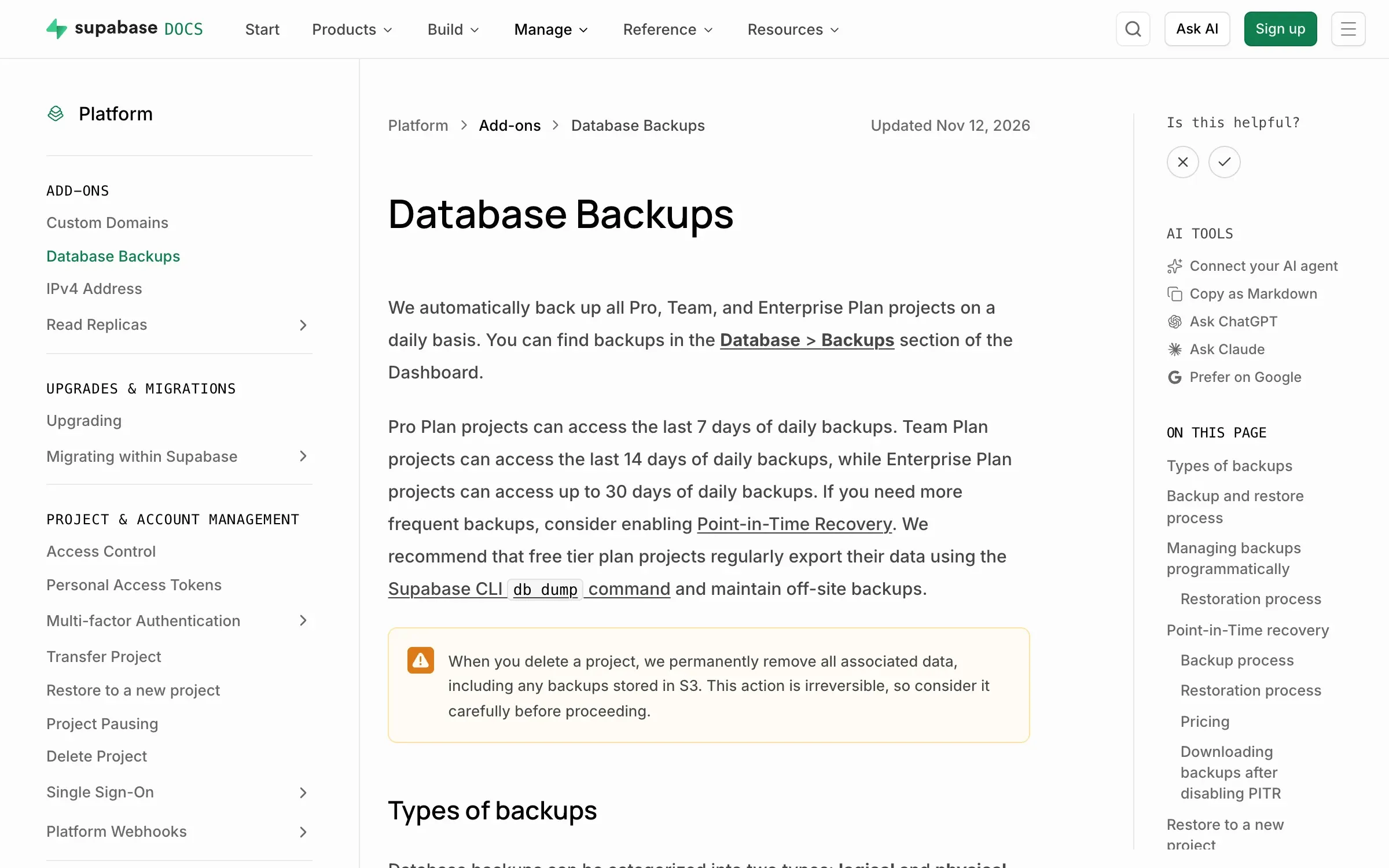
Test it yourself. Delete something as a normal user and try to get it back. Then ask: which Supabase plan are we on, when did we last restore a backup, and can an AI agent reach the production database? Supabase backs up Pro, Team and Enterprise projects daily (Pro keeps 7 days) and asks Free plan projects to export their own data regularly.
Supabase backups, by plan
The fix. Use soft deletes (mark the row deleted, hide it, purge it later), with an undo for users and hard deletes for admins only. Restore a backup once to prove it works, add point-in-time recovery if the data matters, and keep development and production databases apart.
6. Basic logging and alerts
What goes wrong. With no logs or alerts, a failure only shows up when a customer emails, and nobody can say who did what, or when.
Test it yourself. In a test account, break something on purpose: a failed payment, a form error, ten wrong passwords in a row. Who hears about it, and how fast? Then find out who deleted a given record last week.
The fix. Add an error tracker to the frontend and the backend, send alerts to a channel someone reads, and keep an audit log for deletes, role changes, billing changes and exports. Keep passwords, tokens and card details out of the logs.
7. Dependencies
What goes wrong. AI tools add packages fast, and not all of them exist. A USENIX Security 2025 paper tested 576,000 code samples from 16 models: hallucinated packages averaged at least 5.2% for commercial models and 21.7% for open-source ones, with 205,474 unique made-up names. An attacker can publish a real package under a name the models keep inventing. OWASP now ranks supply chain failures third.
Test it yourself. Run npm audit, which checks your dependency list against known vulnerabilities. Then look up every package in package.json you don’t recognise: its age, its downloads and whether it links to a real repository. Lovable’s Quick scan runs a dependency audit too.
The fix. Remove what you don’t use, commit the lockfile, apply safe updates with npm audit fix, and turn on alerts such as GitHub’s Dependabot. Review any package an AI tool adds before you merge it.
From vibe-coded prototype to production
If one or two checks fail in one place, fix them and run all seven again. If the first four fail across the whole app, rebuild those parts rather than patching them, and only those parts.
That sorting is how our cleanups start: a week-one audit ending in a risk list, every part marked keep, refactor, redesign or rebuild. Our free guide, Fix your vibe-coded MVP without starting over, walks through that audit, with a worked risk list for an example app (not a client).
If your UI is fine and security is your only worry, a specialist with a fixed-price security audit can be cheaper than us (we compared ten teams in the best agencies to fix a vibe-coded MVP). If users also get lost in the product, our AI MVP cleanup fixes the design and the code in one team, from $10,000 over about four weeks. It’s the team that cleaned up and built the product for Structurely.
These are checks, not a full security audit or legal advice: if you handle payments, health data or anything regulated, add a specialist review.
Sources
- Supabase, Row Level Security (accessed 16 November 2026) (opens in a new tab)supabase.com
- Supabase, API keys (accessed 16 November 2026) (opens in a new tab)supabase.com
- Supabase, Advisors (accessed 16 November 2026) (opens in a new tab)supabase.com
- Supabase, Database Backups (accessed 16 November 2026) (opens in a new tab)supabase.com
- Lovable, Security overview (accessed 16 November 2026) (opens in a new tab)docs.lovable.dev
- CVE Program, CVE-2025-48757 (accessed 16 November 2026) (opens in a new tab)cve.org
- Matt Palmer, Statement on CVE-2025-48757 (accessed 16 November 2026) (opens in a new tab)mattpalmer.io
- Veracode, AI-Generated Code Poses Major Security Risks in Nearly Half of All Development Tasks (accessed 16 November 2026) (opens in a new tab)veracode.com
- arXiv, We Have a Package for You! A Comprehensive Analysis of Package Hallucinations by Code Generating LLMs (accessed 16 November 2026) (opens in a new tab)arxiv.org
- OWASP, OWASP Top 10 2025 (accessed 16 November 2026) (opens in a new tab)top10.owasp.org
- Fortune, An AI-powered coding tool wiped out a software company's database, then apologized for a 'catastrophic failure on my part' (accessed 16 November 2026) (opens in a new tab)fortune.com
- GitHub Docs, Secret scanning (accessed 16 November 2026) (opens in a new tab)docs.github.com
- npm Docs, npm-audit (accessed 16 November 2026) (opens in a new tab)docs.npmjs.com
- Collins, Collins' Word of the Year 2025, AI meets authenticity as society shifts (accessed 16 November 2026) (opens in a new tab)blog.collinsdictionary.com
Press Escape to close.