Overview
2 months to refresh a brand, website, and product for a $5.25M seed TTS startup
Chariot (formerly Gan.ai) needed a sharper website and launch experience for a fast-moving AI video platform. We helped clarify the product story and make the digital presence feel more polished, credible, and launch-ready.
- To launch the new website
- 8 weeks
- Product screens redesigned
- 50+
- Product of the Week on Product Hunt
- 1st
"The team delivered under intense timelines and we launched our website on Product Hunt with confidence. It's been a pleasure working together. Thank you for all the effort!"
 Suvrat BhooshanCo-founder and CEO
What we did
About the project
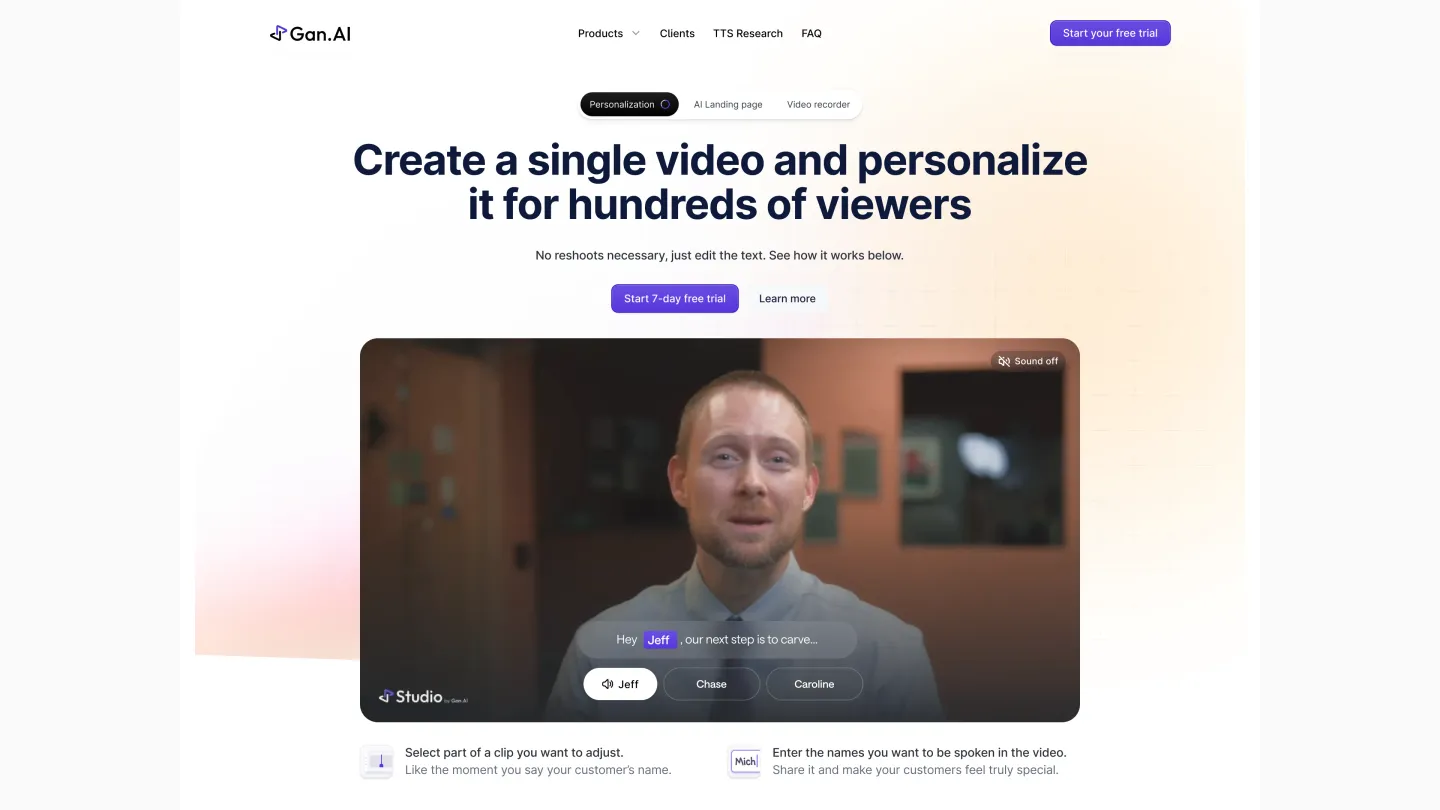
Chariot, formerly Gan.ai, is a San Francisco company that makes AI video and voice tools. Its core product lets a team record one video and personalise it for hundreds of viewers, changing a name or a company in the speaker’s own voice and lip movements.
Founded by Suvrat Bhooshan, who worked at Facebook AI Research, the company raised a $5.25M seed round as Gan.ai led by Surge in 2023. In 2024 we refreshed its brand, redesigned the website in eight weeks for a Product Hunt launch, and redesigned more than 50 product screens.
The work covered three surfaces that had to move together: the brand assets, the marketing website and the studio app. One team designed all three, so a colour, an icon or a card style settled on the website could carry straight into the product.
- Client
- Chariot (formerly Gan.ai)
- Industry
- Generative AI, video and voice
- Services
- Brand refresh · Website design · Product design · Icon set · Motion design
- Timeline
- 2024 to 2025
The challenge
Gan.ai, now Chariot, had grown from one product into a set of tools: personalised video, text to speech, voice cloning, lipsync, AI landing pages and a Chrome recorder. The site and the app had to explain all of them, quickly.
Two kinds of visitor arrive at the same homepage: a marketer comparing tools for a team, and a creator who wants to try one right away. The site had to give the first a clear overview and the second a way to start in a click.
- Many tools, one story
- Marketing teams, creators and enterprises each come for something different. The site needed one clear story with room for each.
- Hard to picture
- A video that changes for every viewer is easier to show than to describe, so the key ideas needed visuals, not paragraphs.
- A launch date
- The new website had to be ready for a Product Hunt launch eight weeks out.
The website
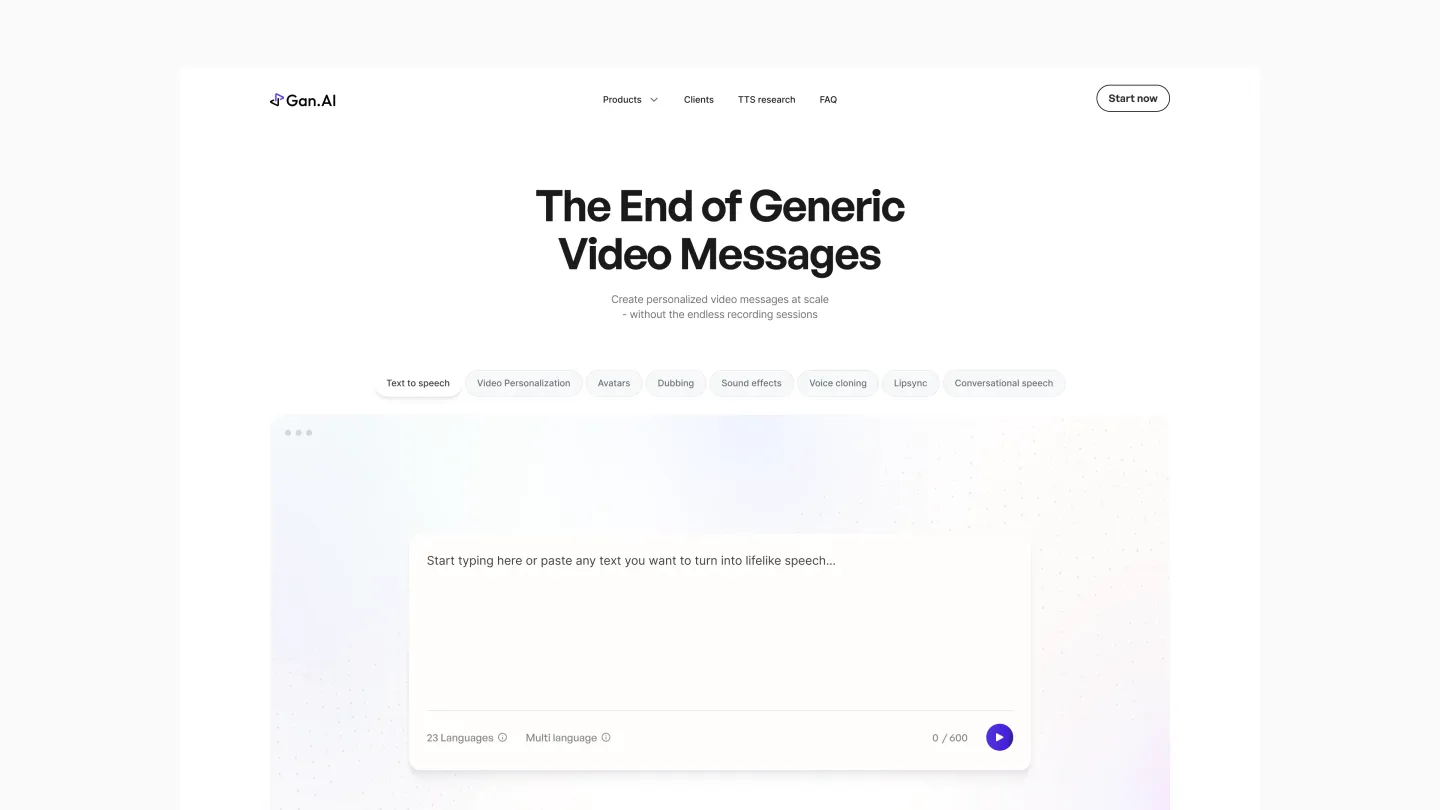
The new site leads with the outcome, The End of Generic Video Messages, and sets out the tools in one bento: lipsync and voice cloning, AI landing pages, the Chrome recorder, personalisation and integrations.
We animated the bento so each feature shows itself at work, in the light, violet-accented look we carried into the product.
The hero works as a demo rather than a picture. Tabs for text to speech, video personalisation, avatars, dubbing, sound effects, voice cloning, lipsync and conversational speech sit above a text box that takes up to 600 characters in 23 languages. The navigation stays short, Products, Clients, TTS research and FAQ, with a single Start now button on the right.
"New visuals look amazing, the website is looking great, the DesignMe team pushed hard and helped us get to the finish line."
One idea per visual
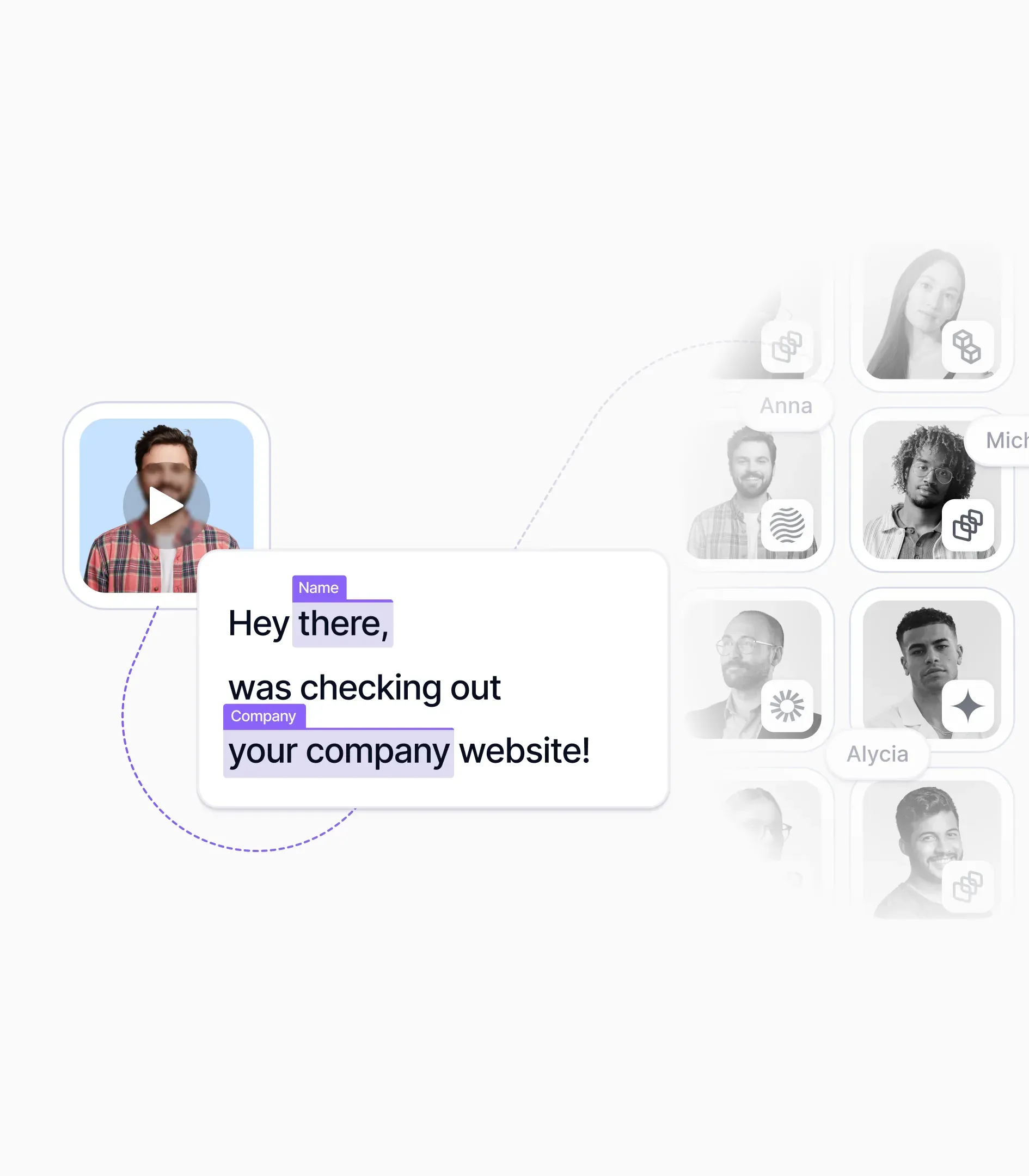
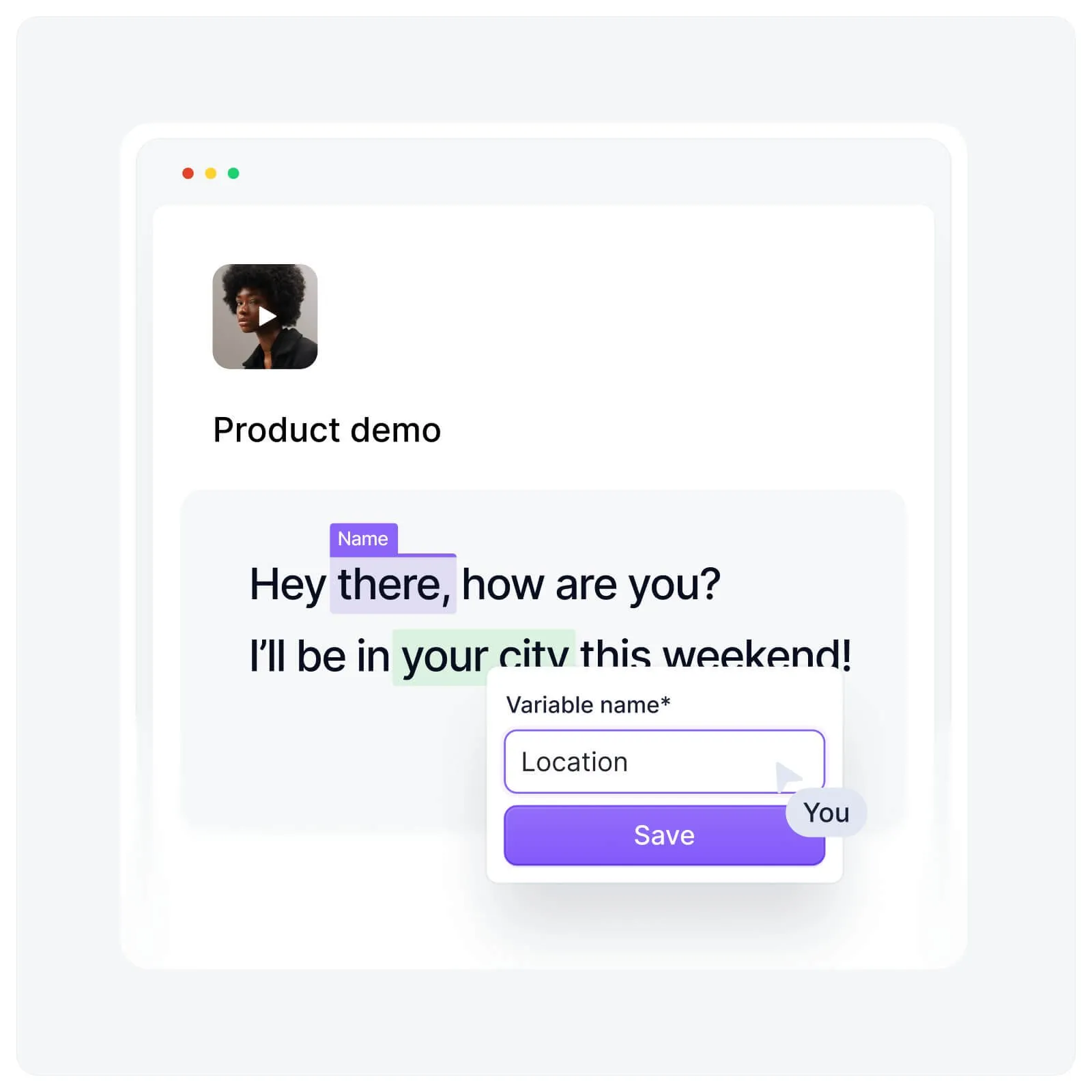
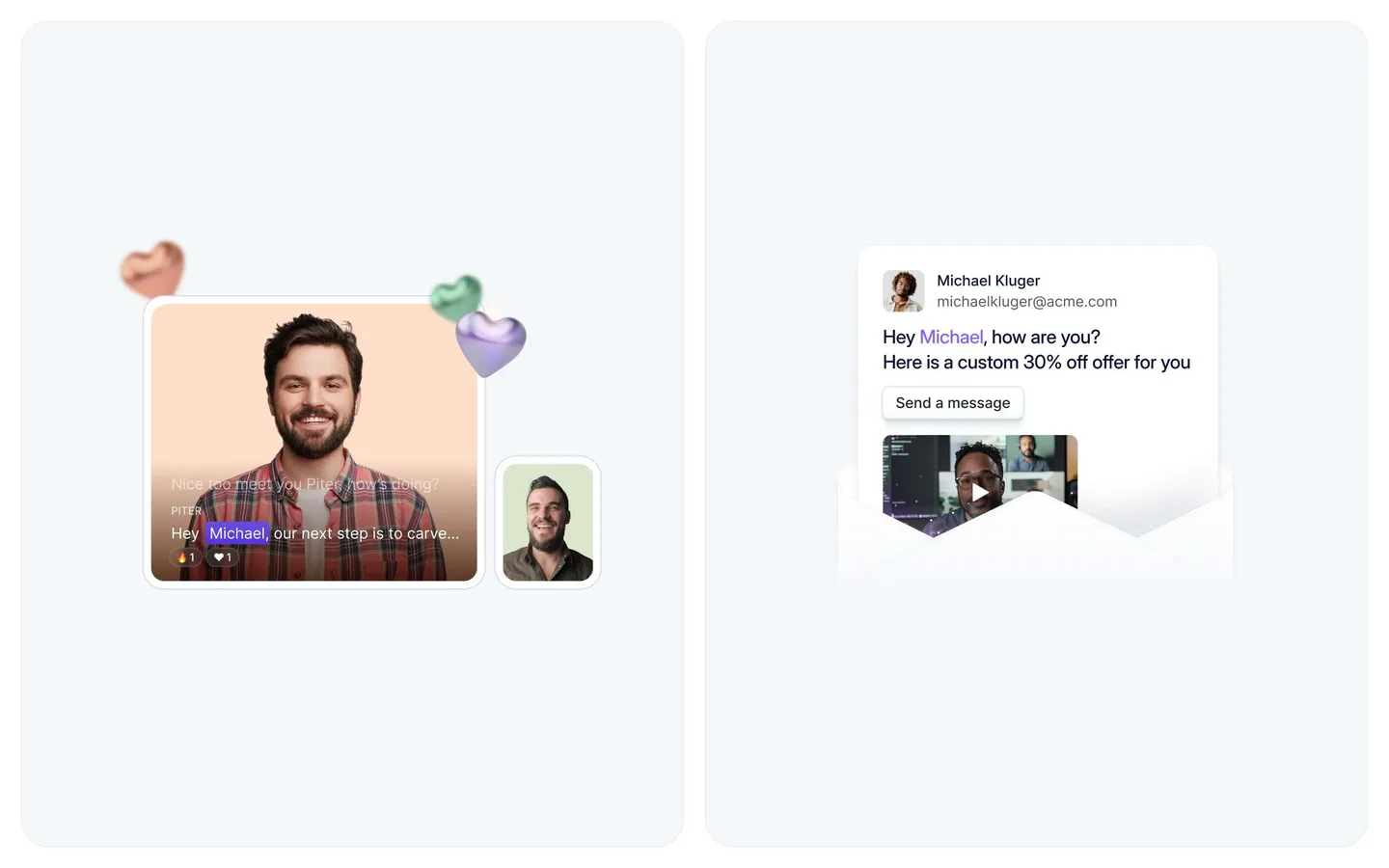
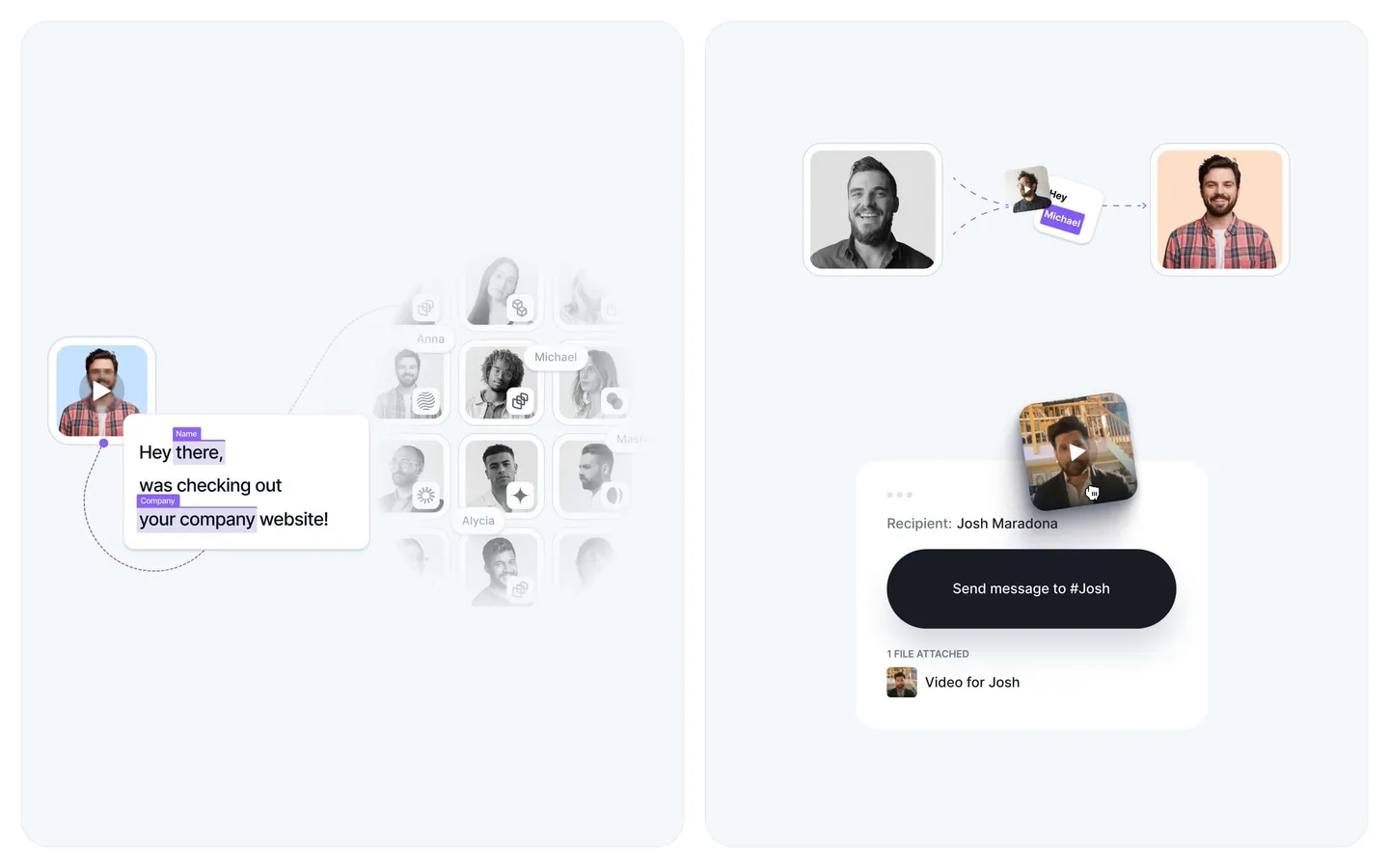
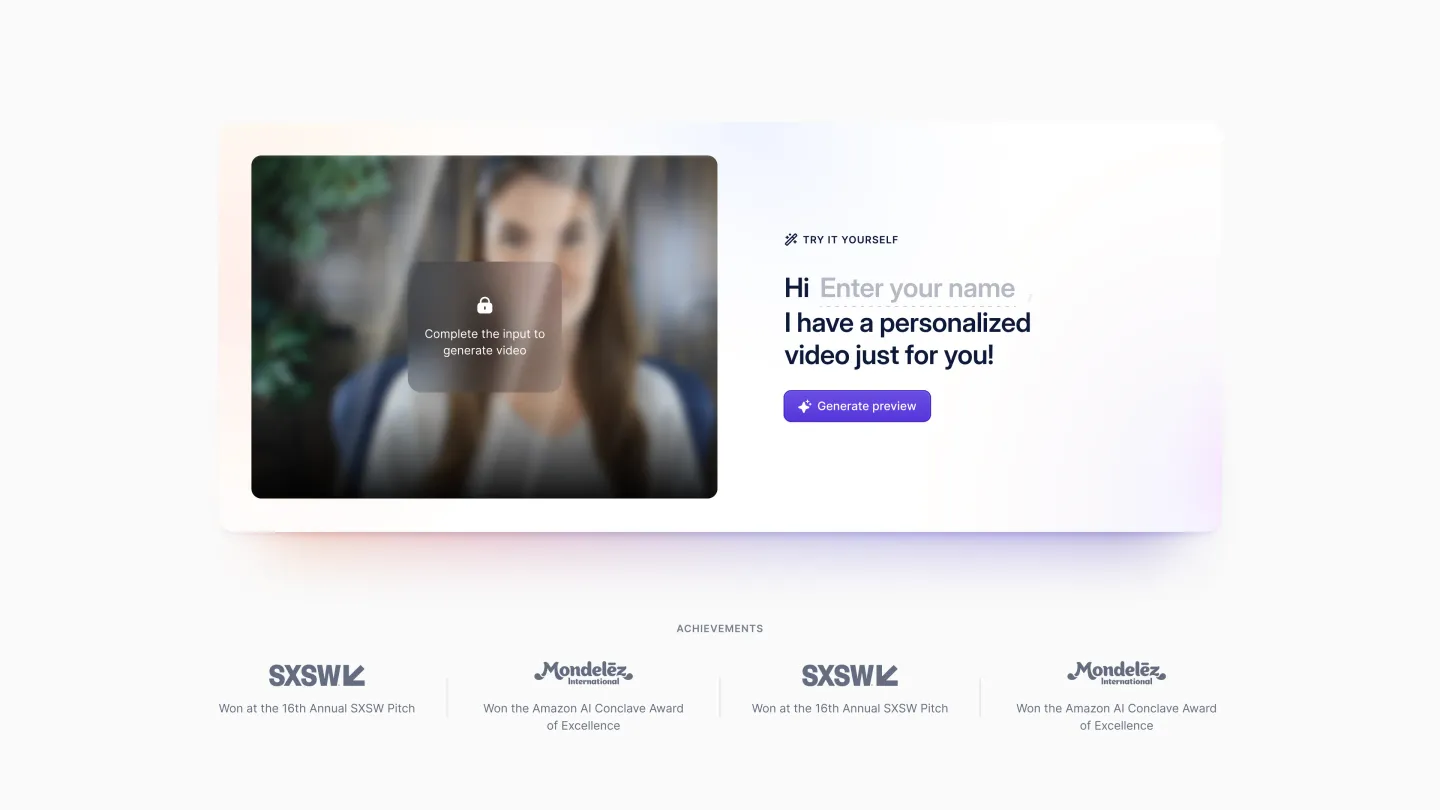
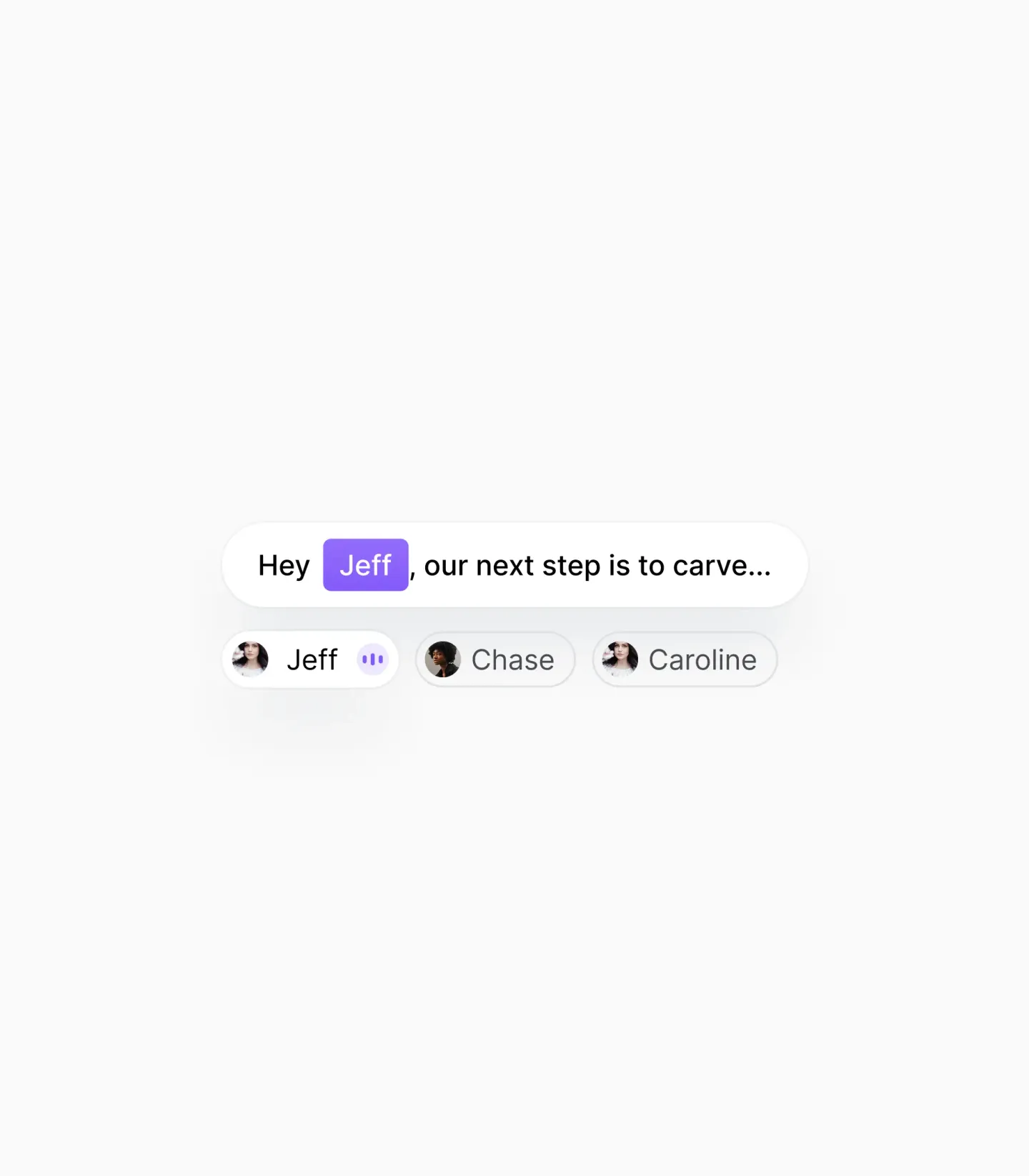
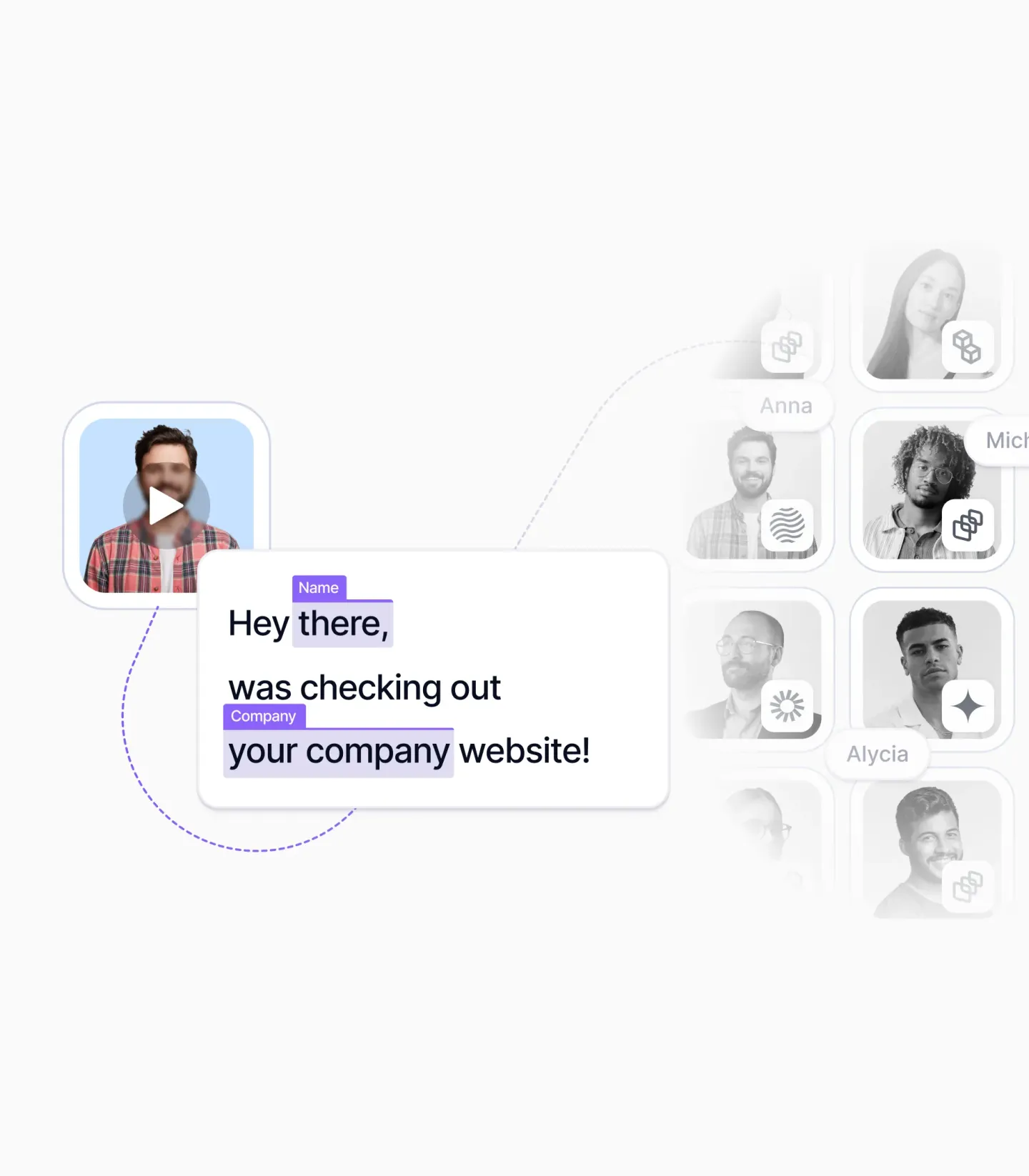
Further down, each section explains one idea with one visual: a name dropped into a sentence, a video landing page made for one viewer, a contact list arriving from a CRM or a CSV file.
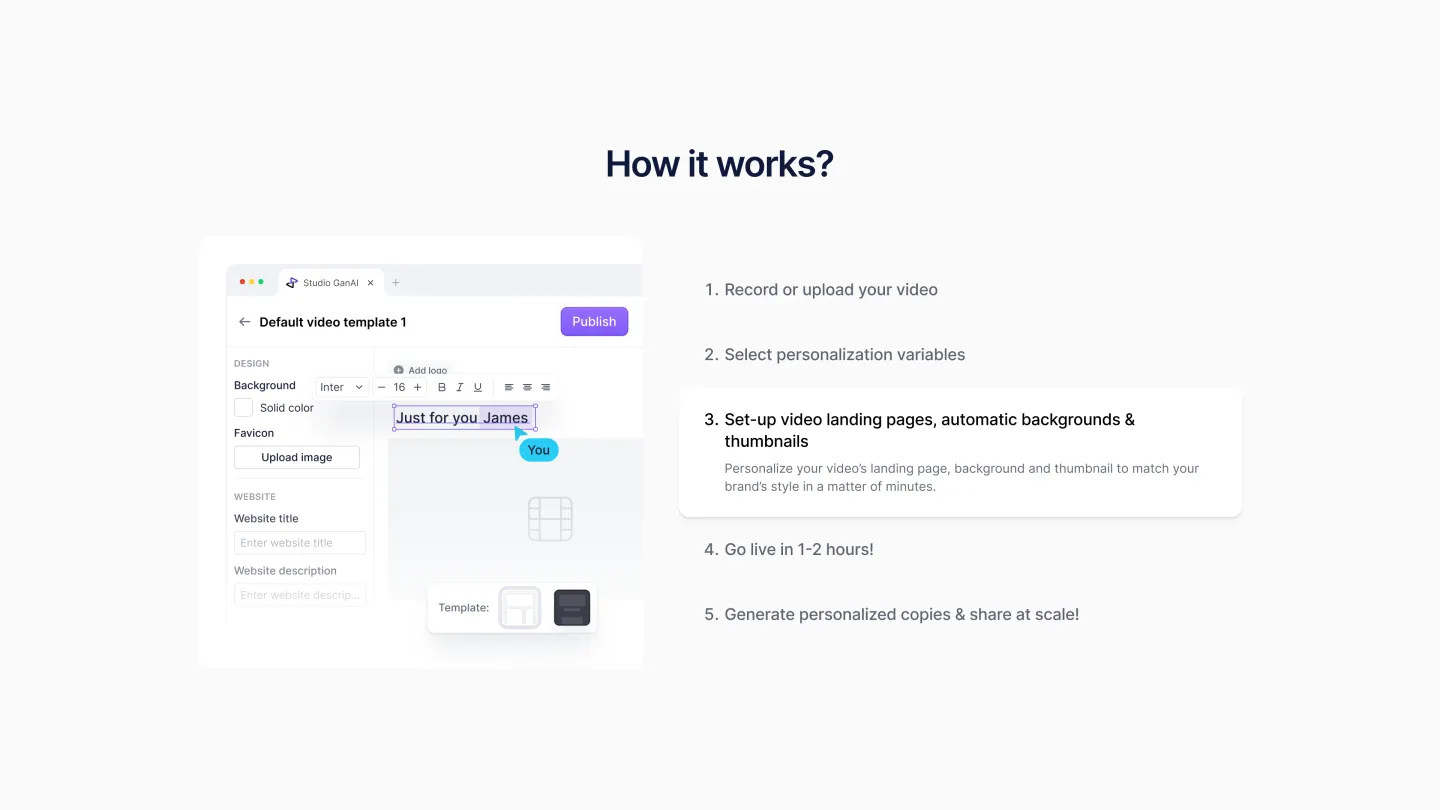
Visitors can try it on the page by typing their name to generate a preview, and How it works comes down to five steps, from recording the video to sharing personalised copies at scale.
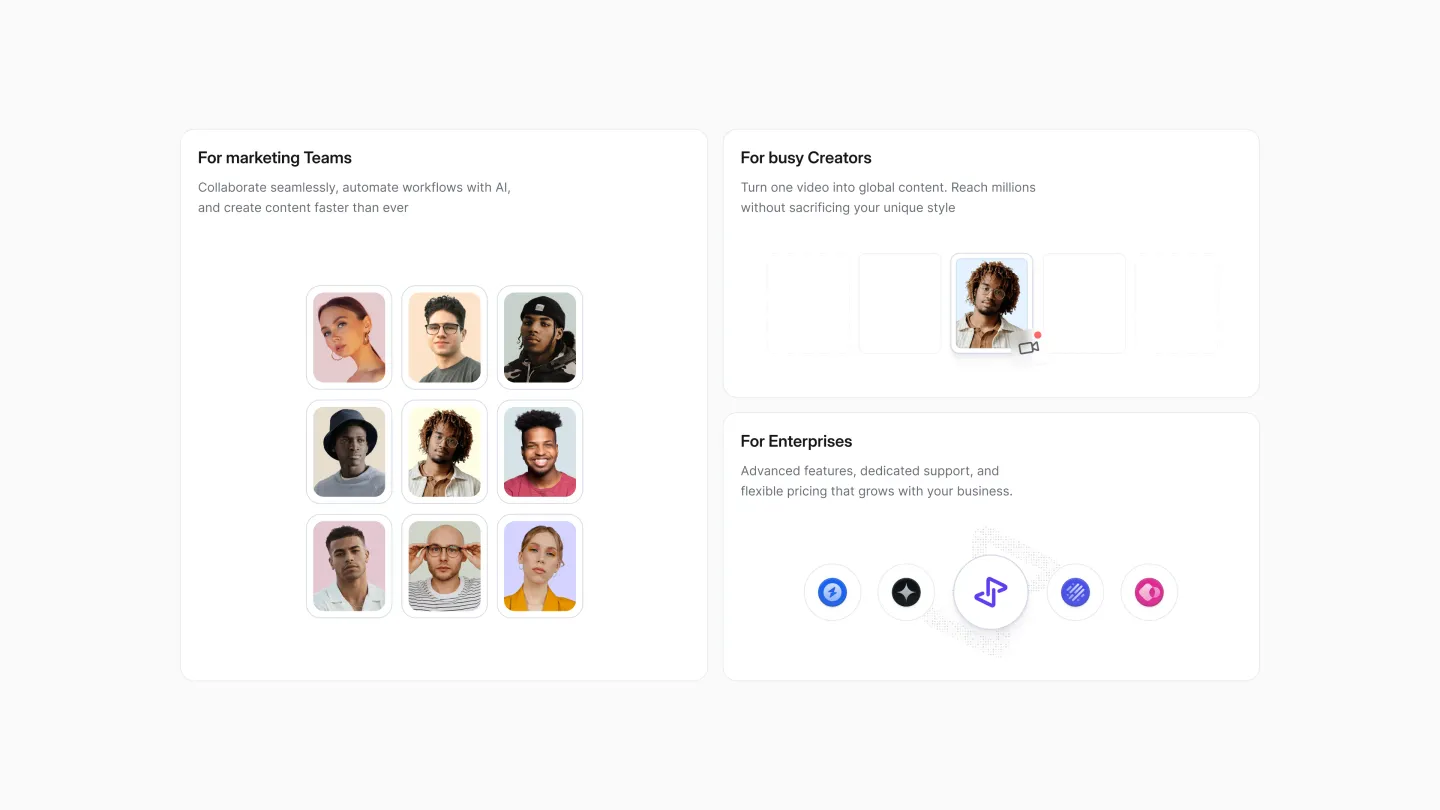
The audience cards speak to three readers in their own terms: marketing teams who want to automate their workflows with AI, busy creators who want one video to become content for everyone, and enterprises who need advanced features and dedicated support. Under the try-it box, a short achievements strip carries Gan.ai’s awards, including a win at the 16th Annual SXSW Pitch.
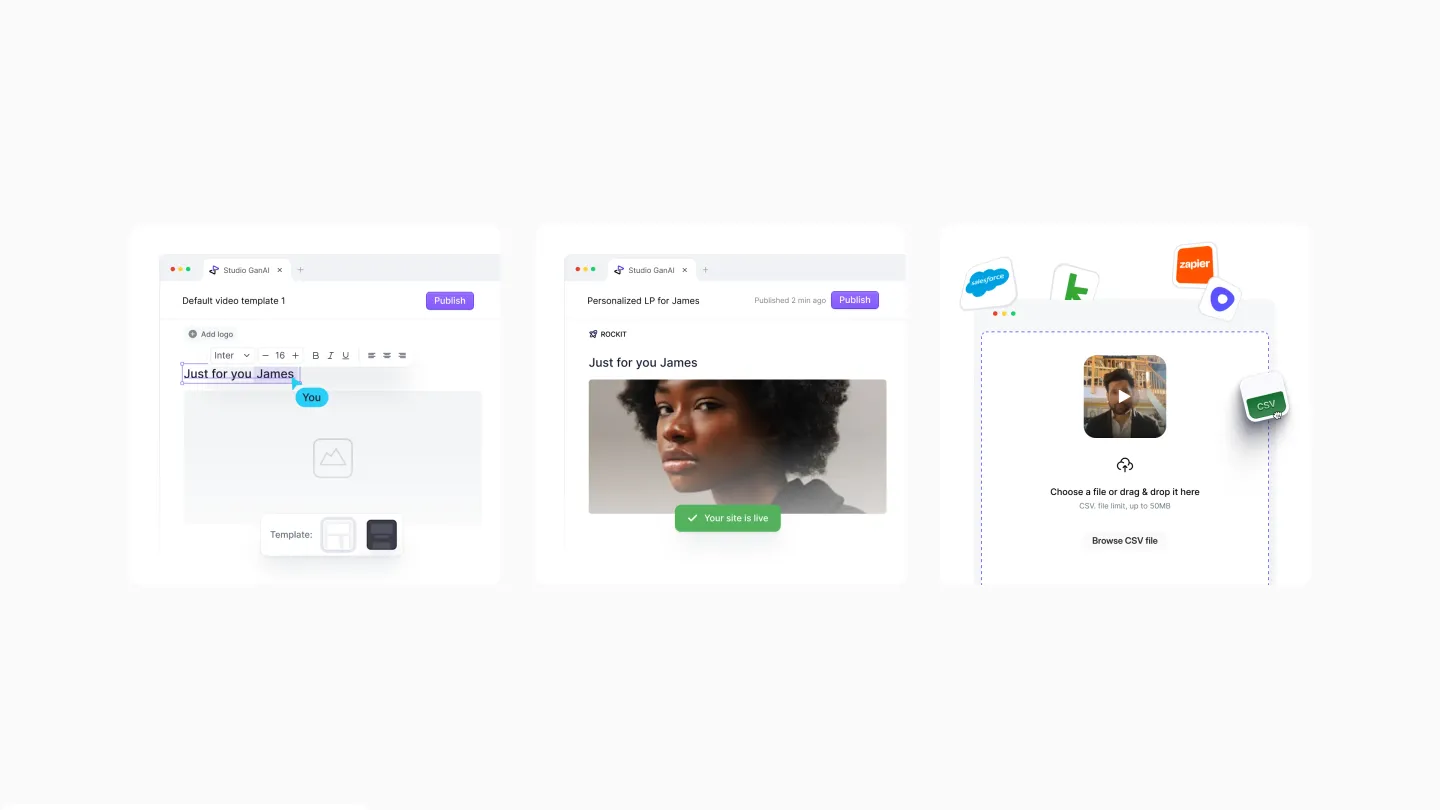
How it works pairs the five steps with the template editor itself. In Studio GanAI a line such as Just for you James is styled in place, next to the page design, favicon and template settings, so each step reads as something a visitor could do today.
Icons
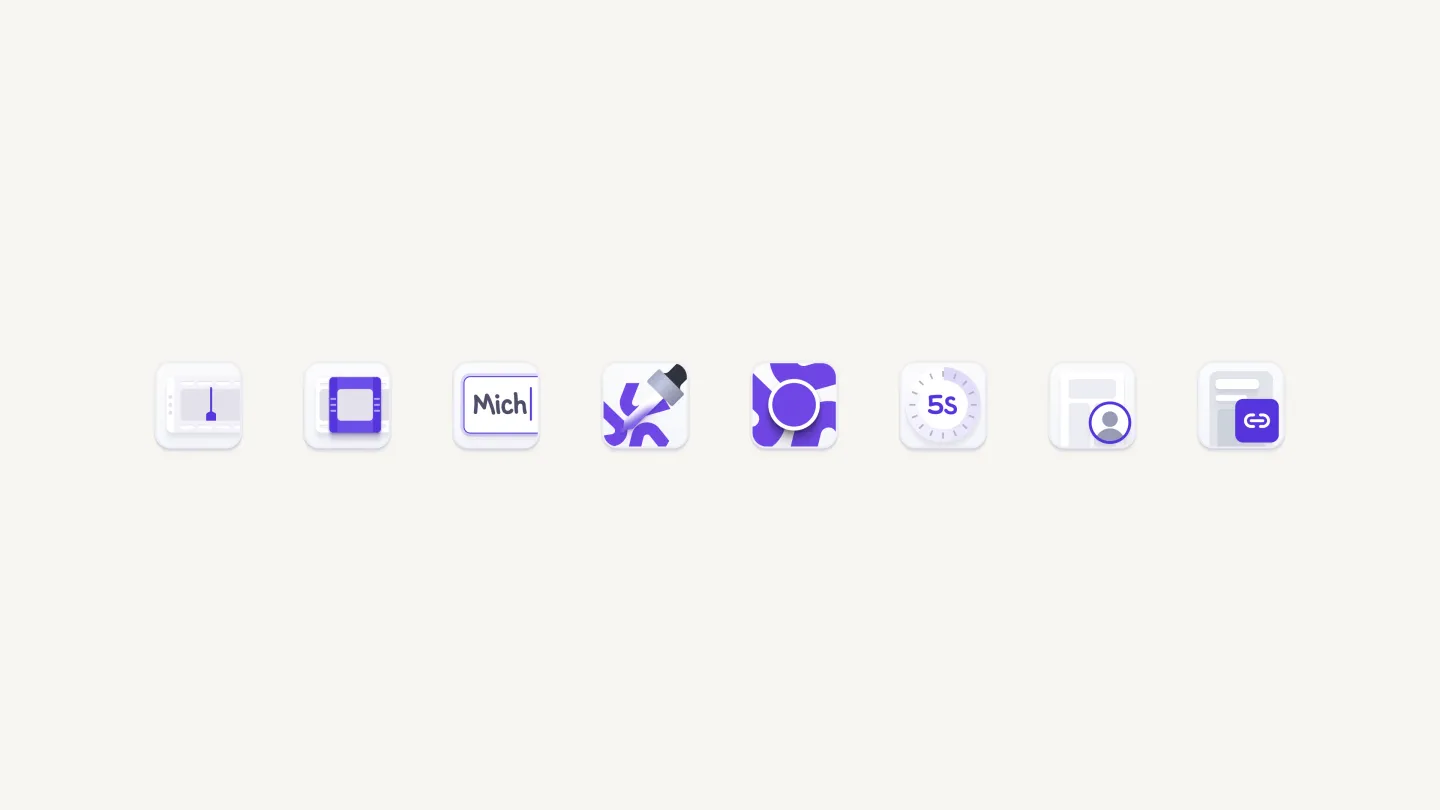
A set of icons drawn as small violet tiles ties the website to the product, one for each tool.
Text, video, name, voice, avatar, timer, profile and link: each is a simple mark on a rounded tile, readable at small sizes and calm next to the others, so the same set works on feature cards and inside the app.
The product
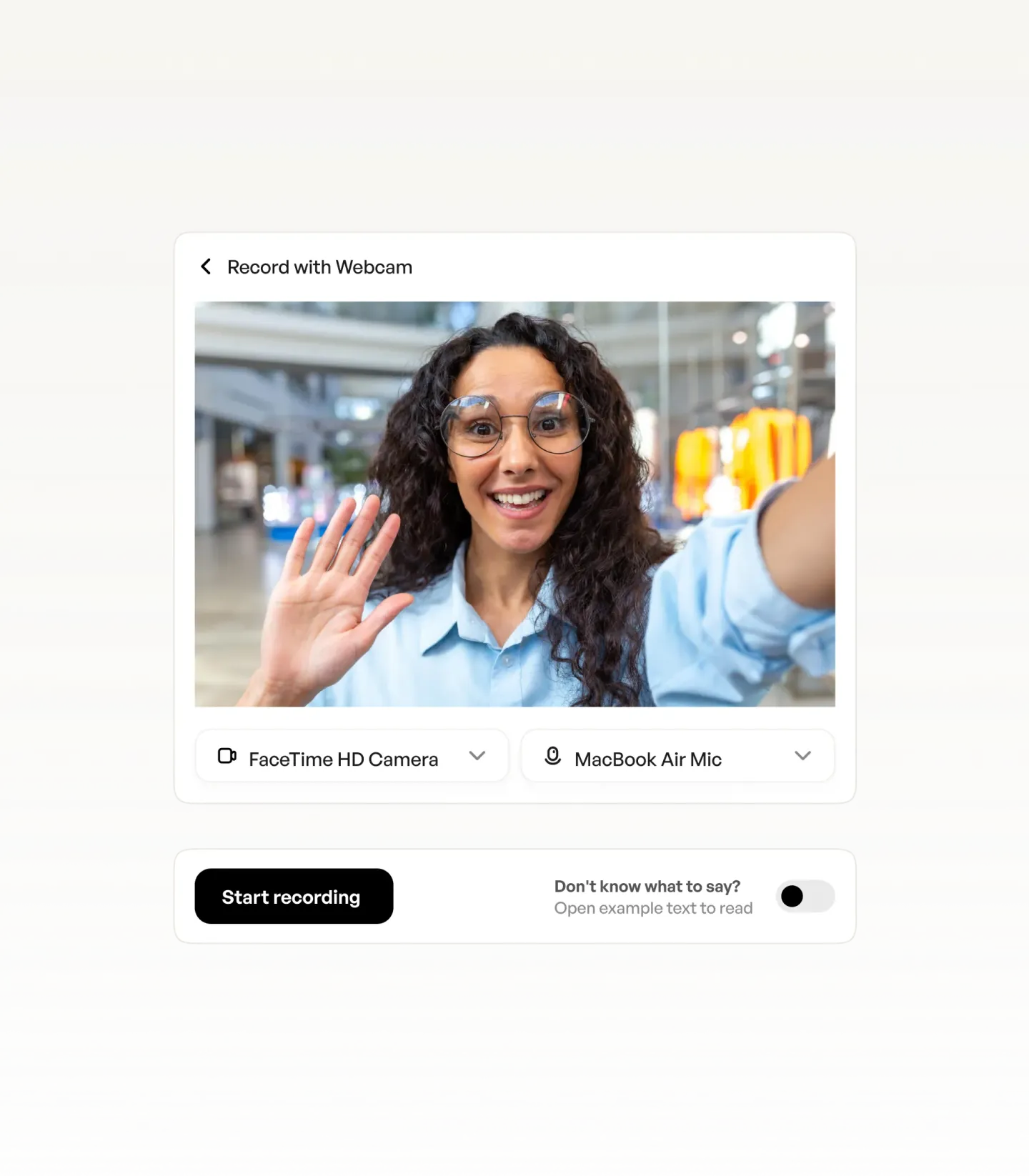
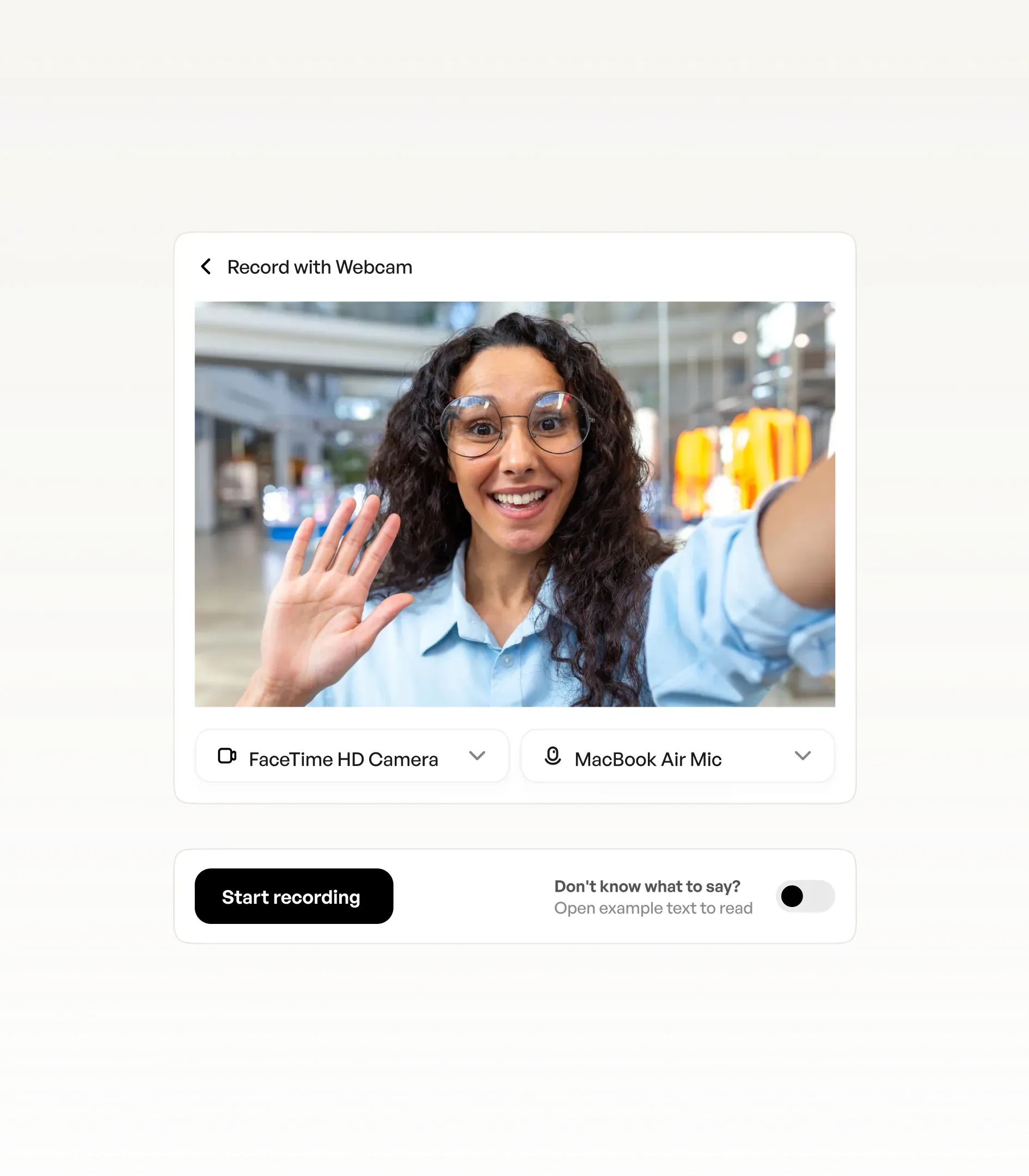
In the product, we redesigned more than 50 screens across the Gan.ai studio: text to speech, webcam recording, avatars and personalisation variables.
Every tool shares the same light layout, rounded cards and one black main action, so moving between tools feels like using one app.
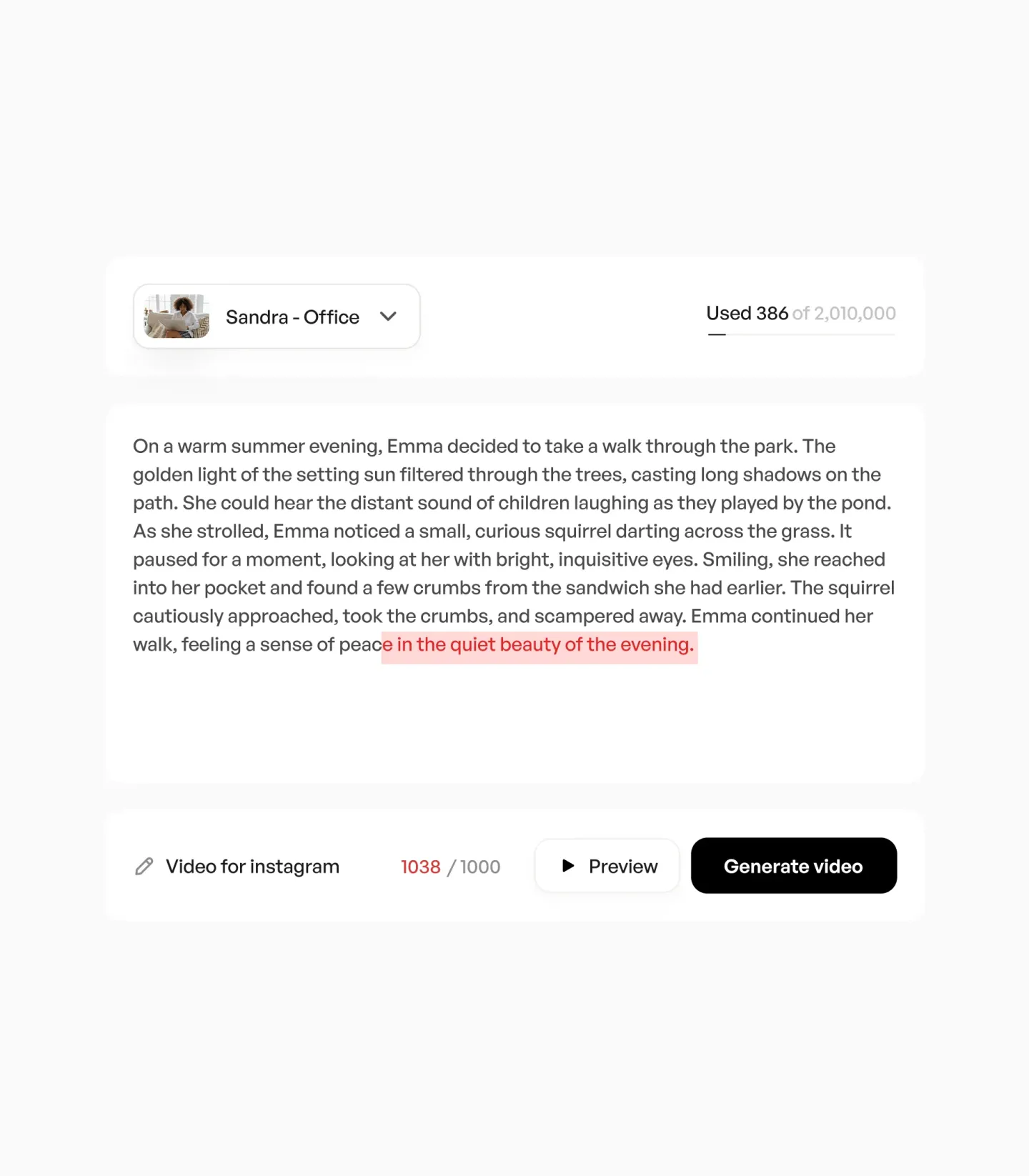
The details carry the work. In the text to video editor the avatar picker sits top left and a usage meter top right; when a script runs past the 1,000 character limit, the counter and the extra words turn red, so the problem shows before anything is generated.
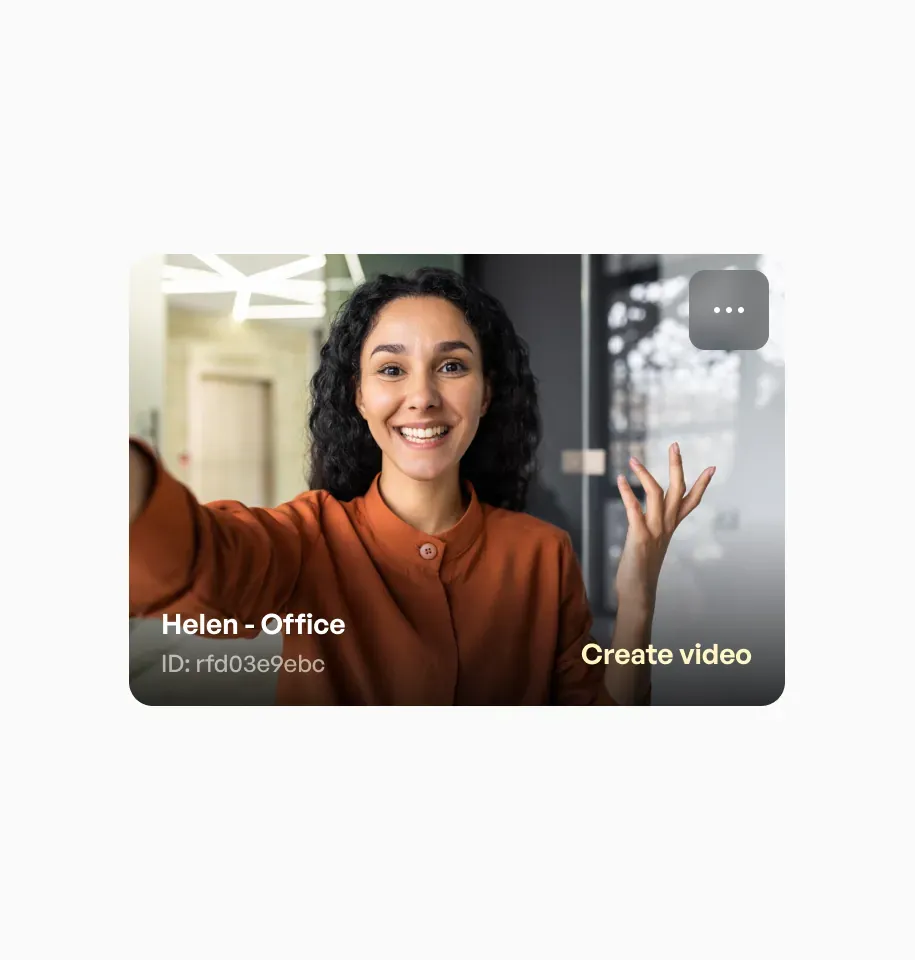
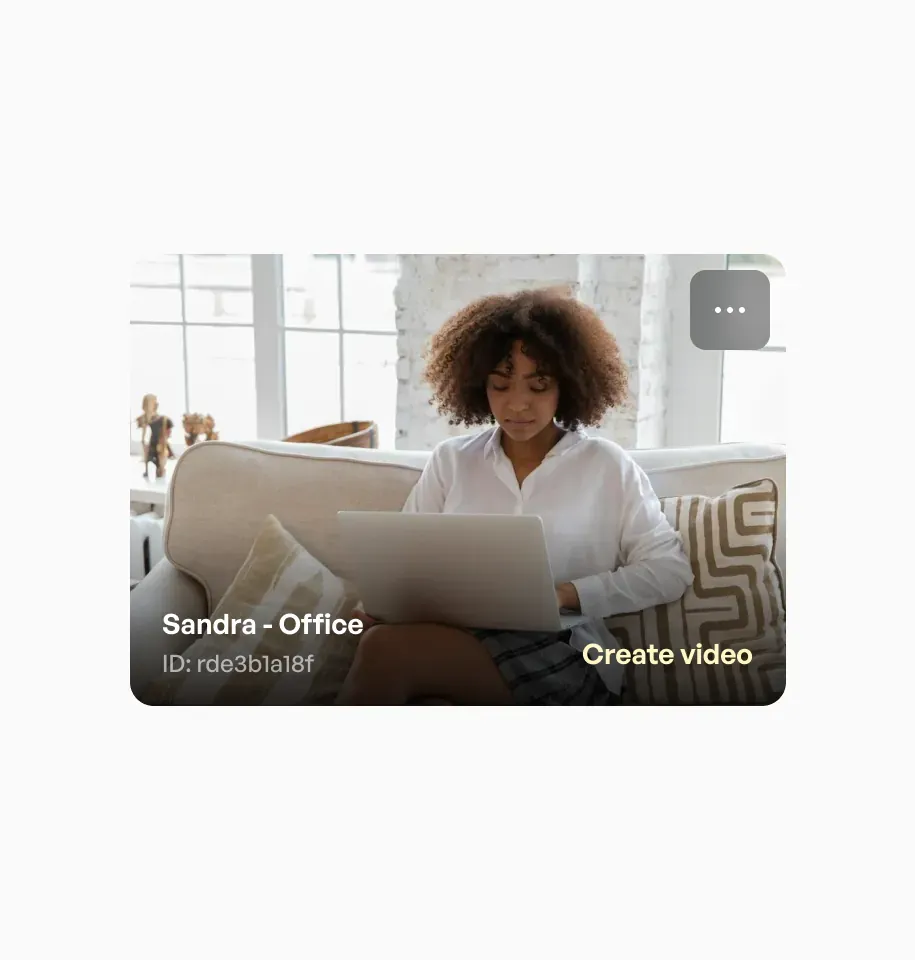
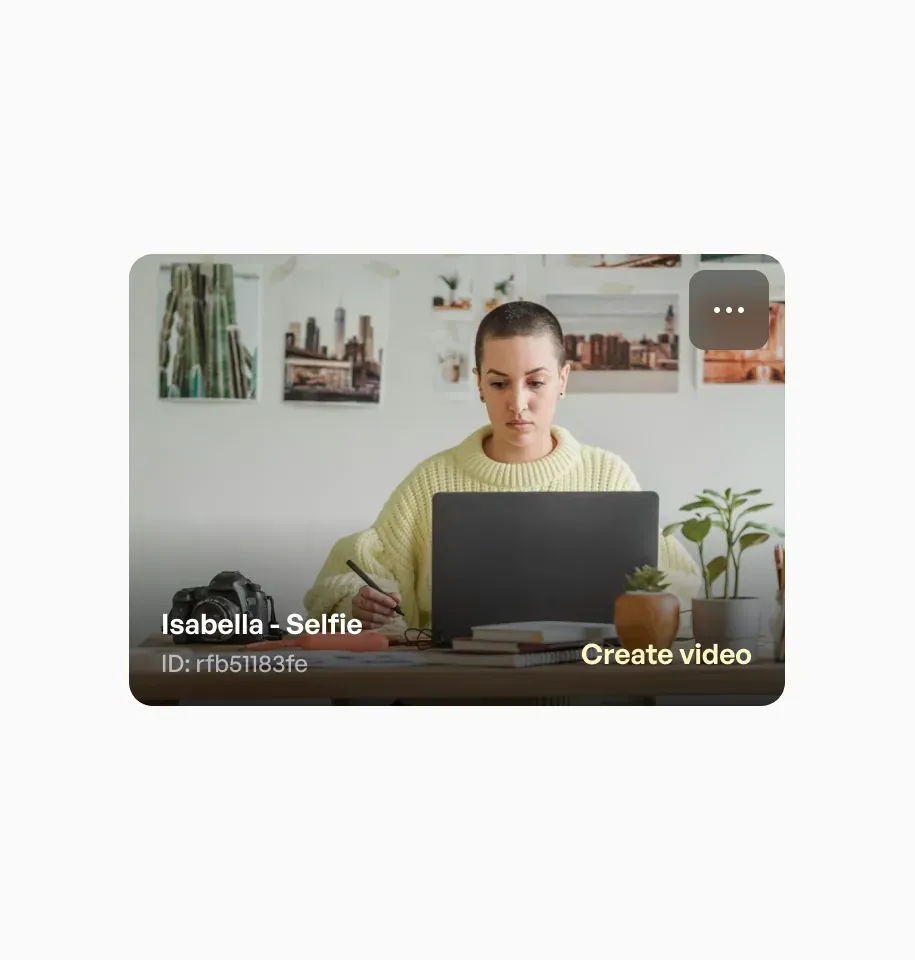
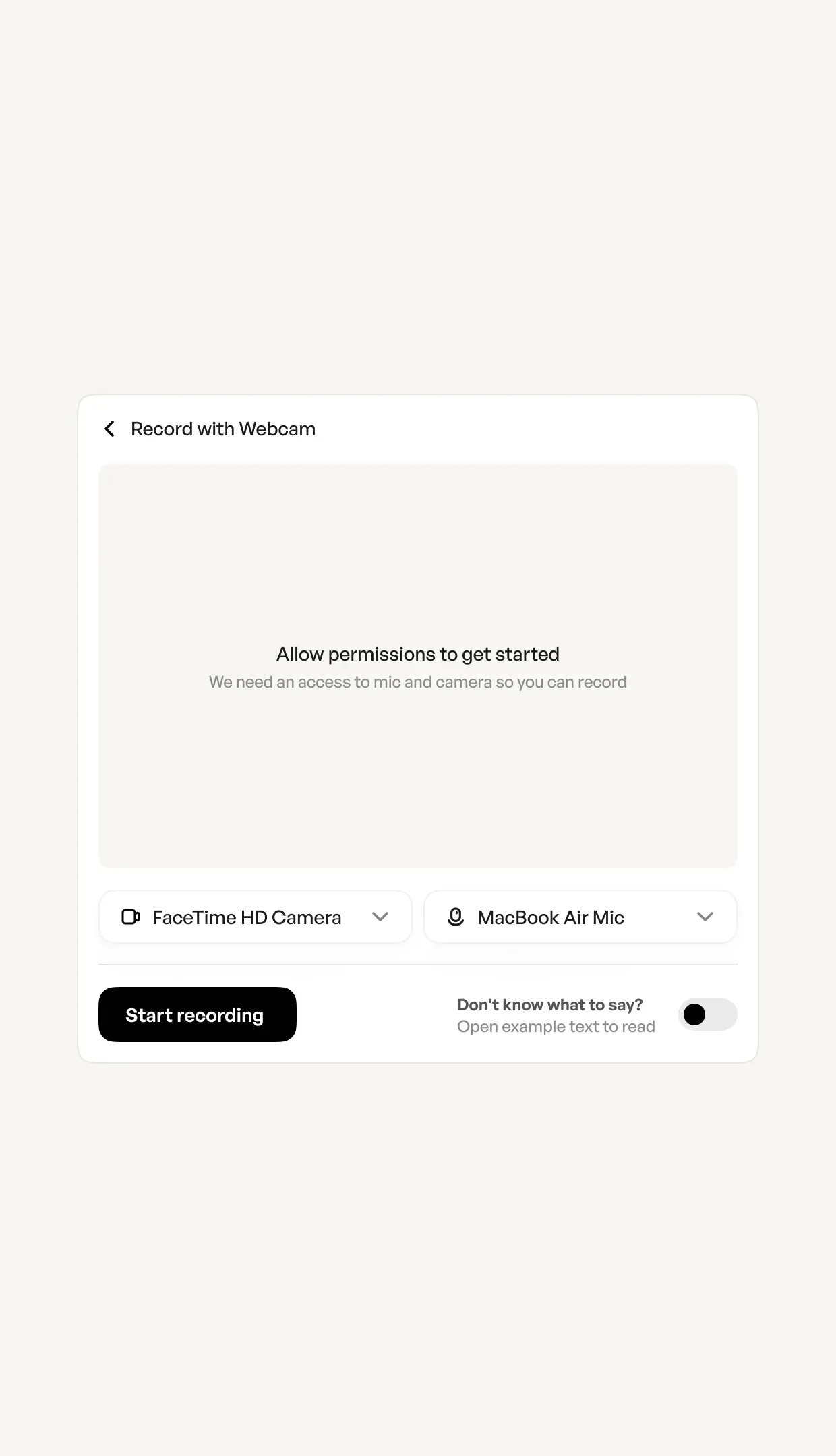
Avatars such as Helen, Sandra and Isabella appear as cards with their setting, Office or Selfie, and one Create video button. Webcam recording follows the same pattern: a camera preview, camera and microphone pickers, and one button to start.
Lipsync and generation
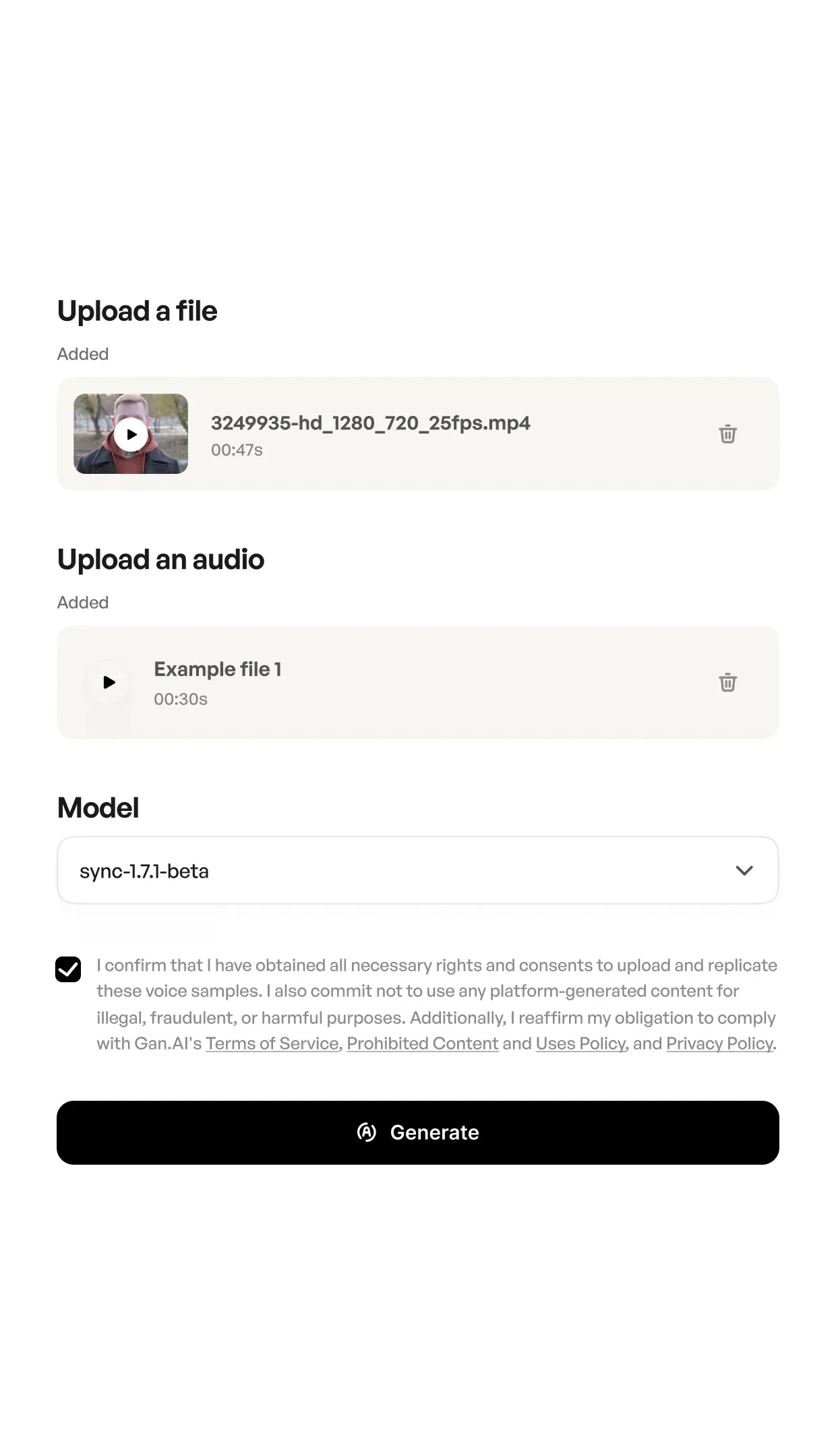
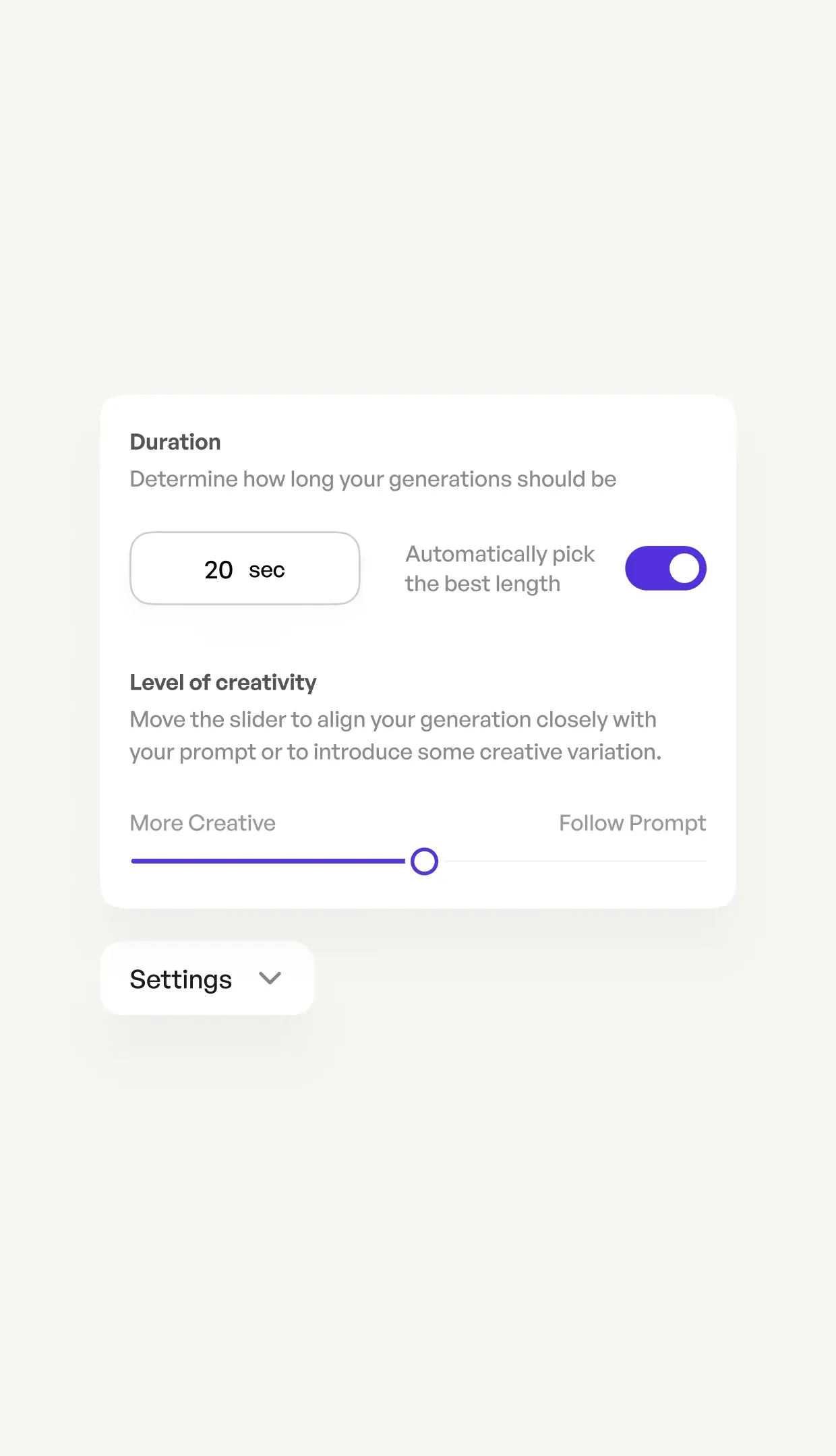
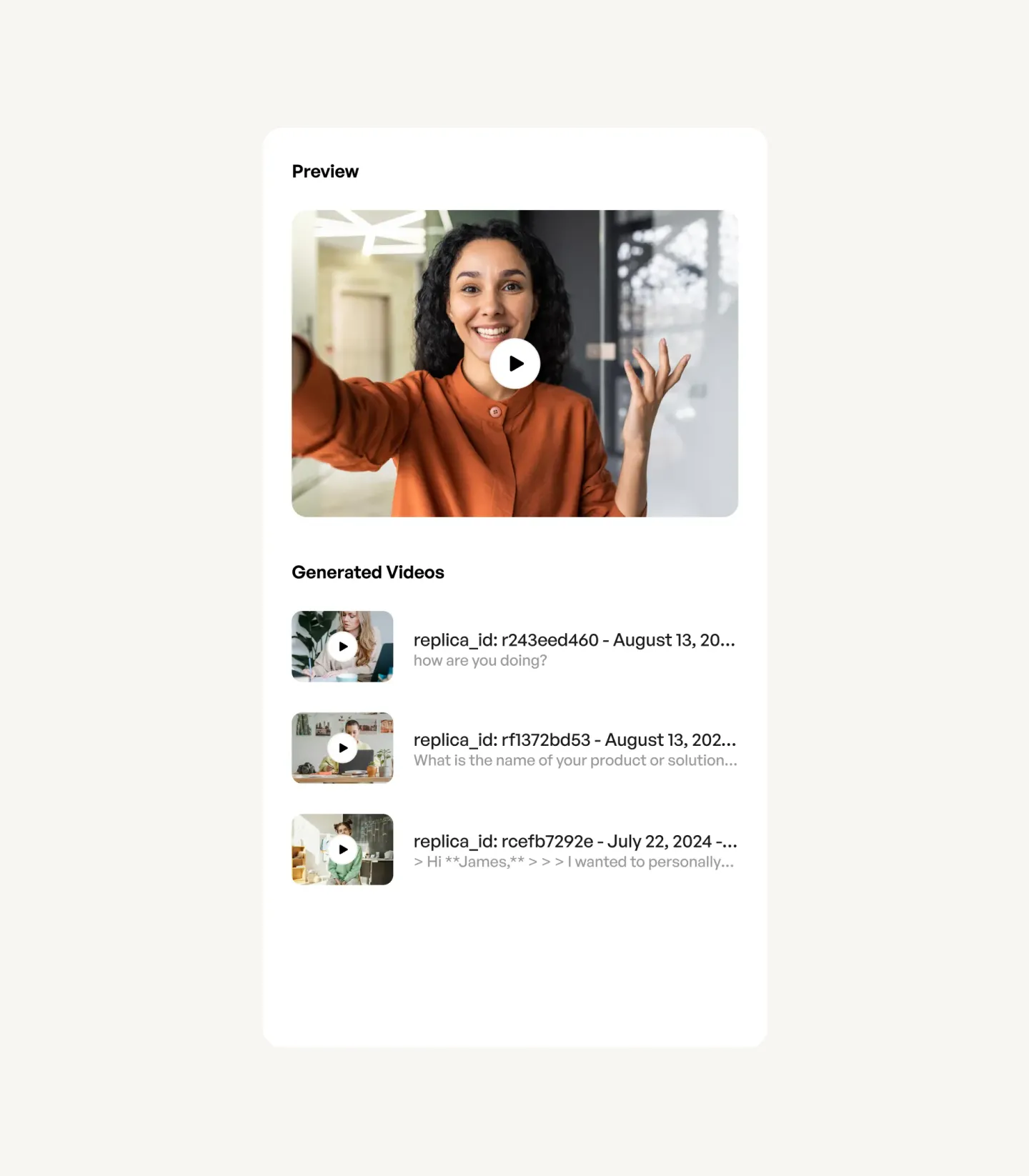
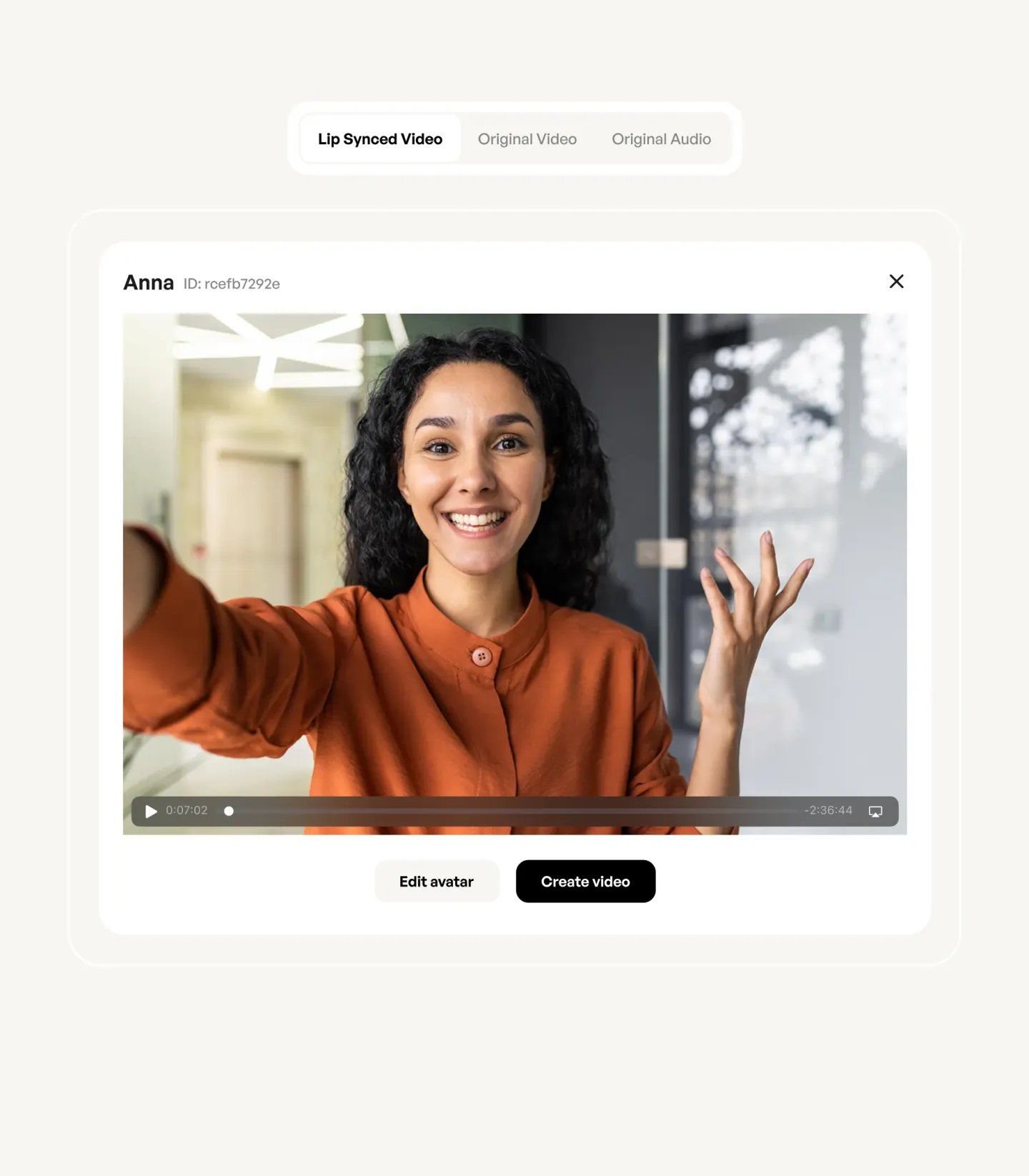
Lipsync and video generation follow one pattern: upload a video and an audio file, pick a model, set the length and how closely to follow the prompt, then preview the result.
Generated videos stay in a list next to the preview, so a team can compare takes before sharing one.
Before the camera is ready, the recorder asks for permissions in plain words instead of opening on an empty frame, and the generation settings explain themselves with a duration control and a slider from More creative to Follow prompt.
Voices and plans
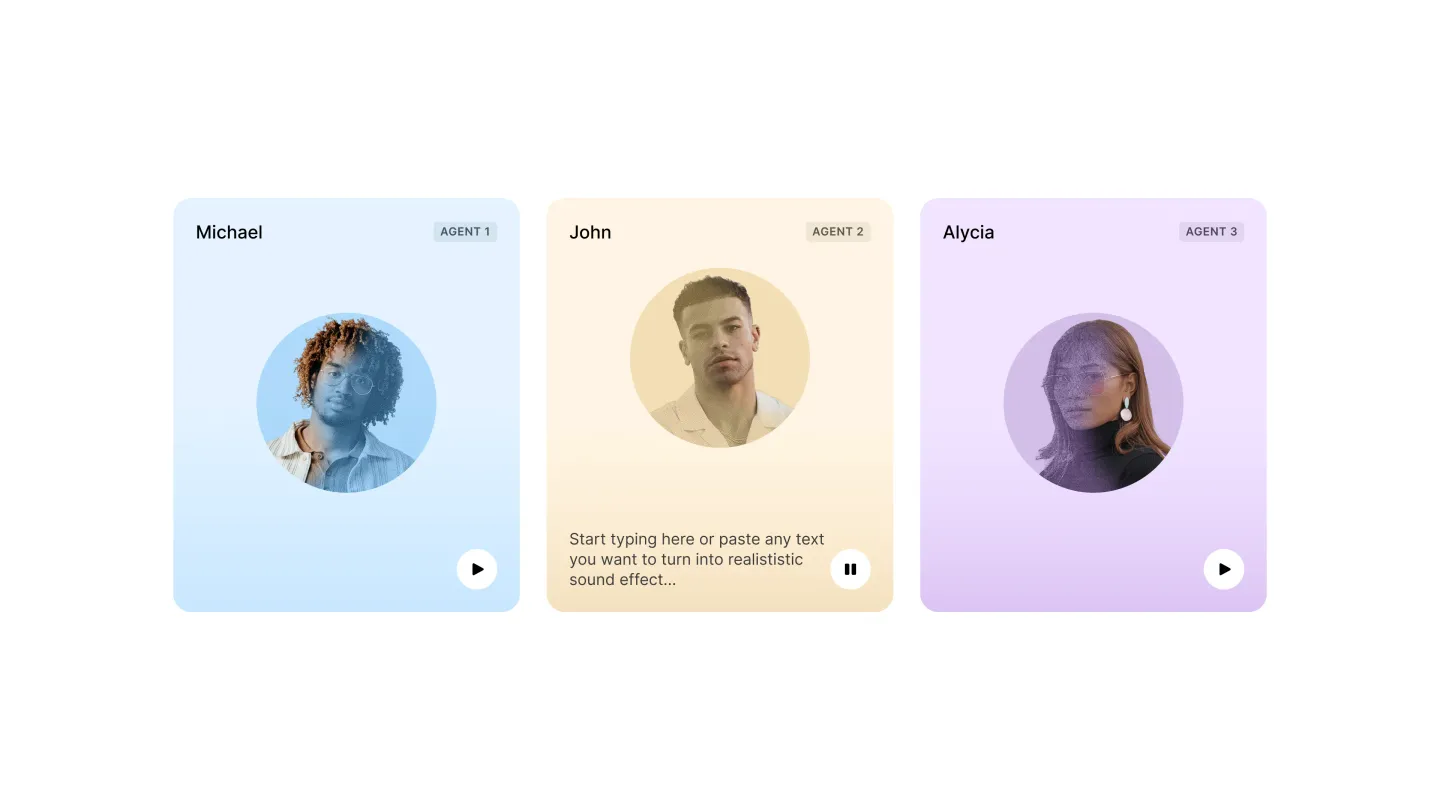
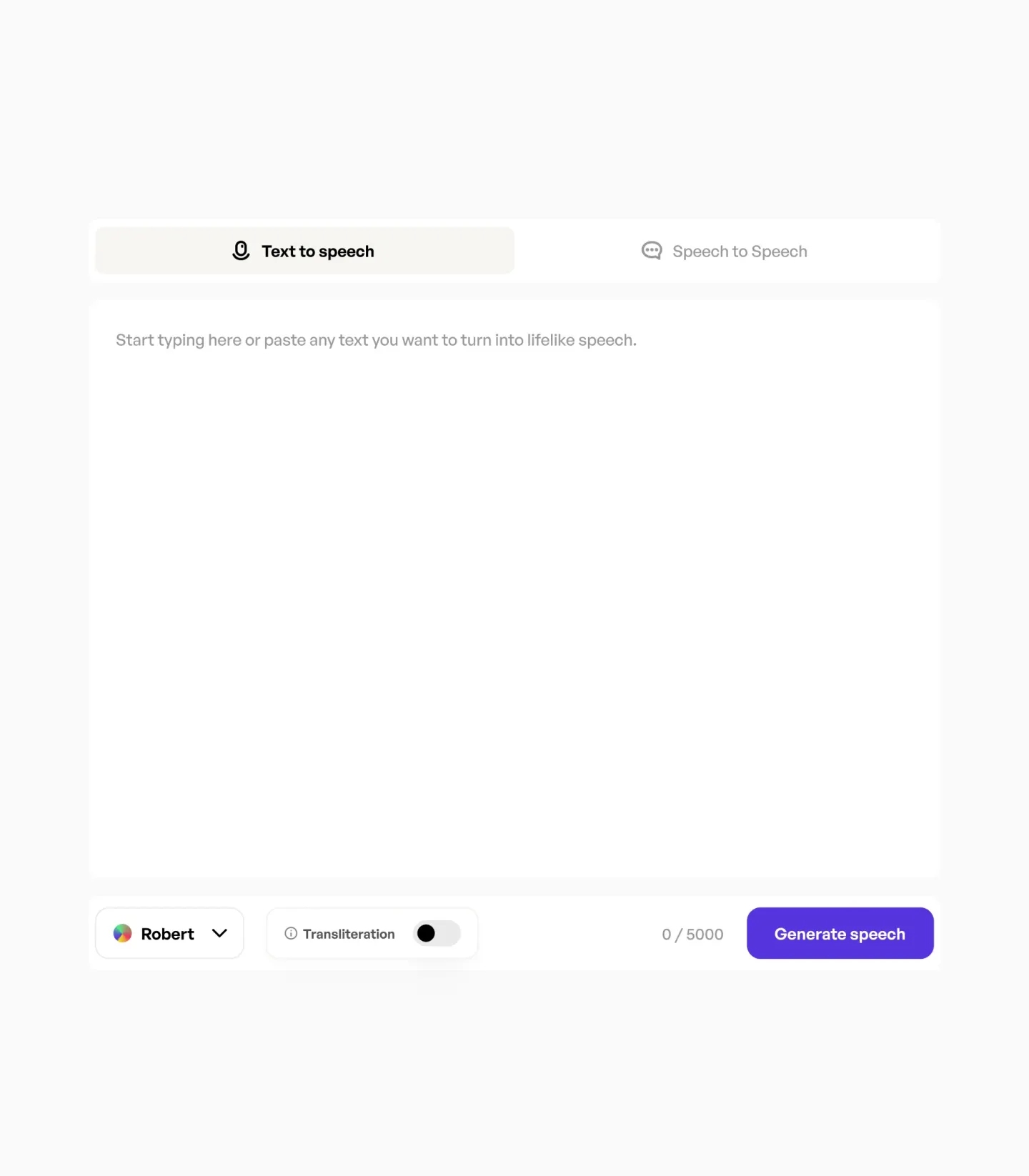
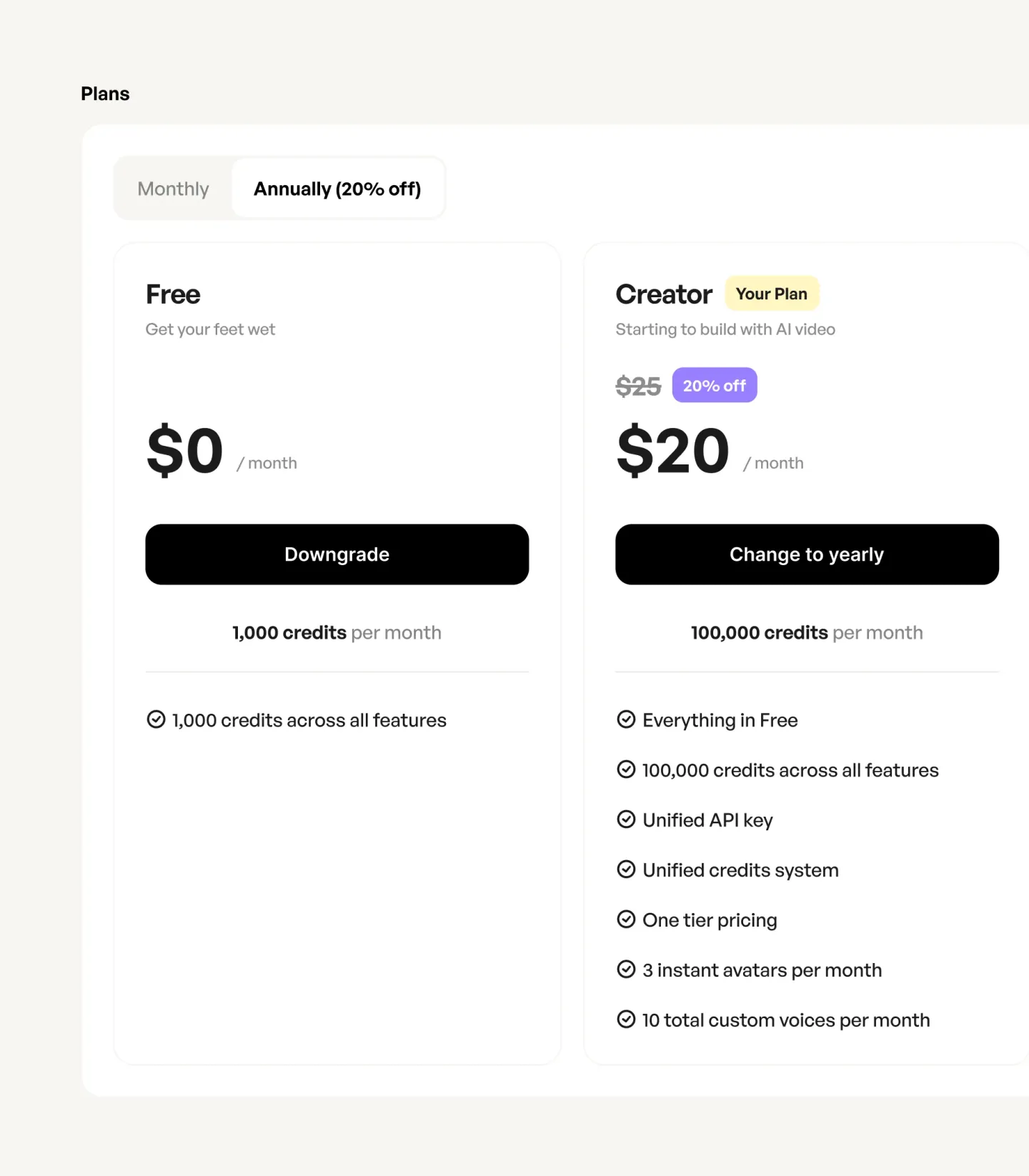
Voice agents get their own cards, each with a face, a name and a sample to play. Text to speech sits in one large field, and the plans page keeps the choice to two tiers.
The plans page shows Free and Creator side by side with a monthly or annual switch. Credits per month are set in bold and the features sit in a short checked list, so the difference between the two tiers reads at a glance.
Results
The new website went live in eight weeks, in time for the Product Hunt launch, where Gan.ai finished as the first Product of the Week. In about two months we refreshed the brand assets, designed the website and redesigned more than 50 product screens.
The company raised its $5.25M seed round, led by Surge, in 2023, before our work began. Our part was making the website and the product look as capable as the technology behind them, so the launch could lead with the product itself.
- To launch the new website
- 8 weeks
- Product screens redesigned
- 50+
- Product of the Week on Product Hunt
- 1st
- Brand, website and product refresh
- 2 months
- Helping a 1M+ user sales platform improve website engagement and conversion rates.
- Designed the brand and digital experience for a $72M-funded next-gen narrow bank platform.
- Refreshing the brand, the product and the website experience behind Lightdash’s $11M Series A
- Redesigning and rebuilding the mobile experience for an AI-powered athlete development app with 300K+ users.




You've reached the end, so now…
Tell us what you’re building.
We’ll help you map the right scope, team, timeline, and next steps.
Book a call